Who it’s for4x4 Mechanical Repair and Maintenance
4x4 workshop software
Manage 4x4 servicing, repairs and modifications with organised job records and easy access to previous work.
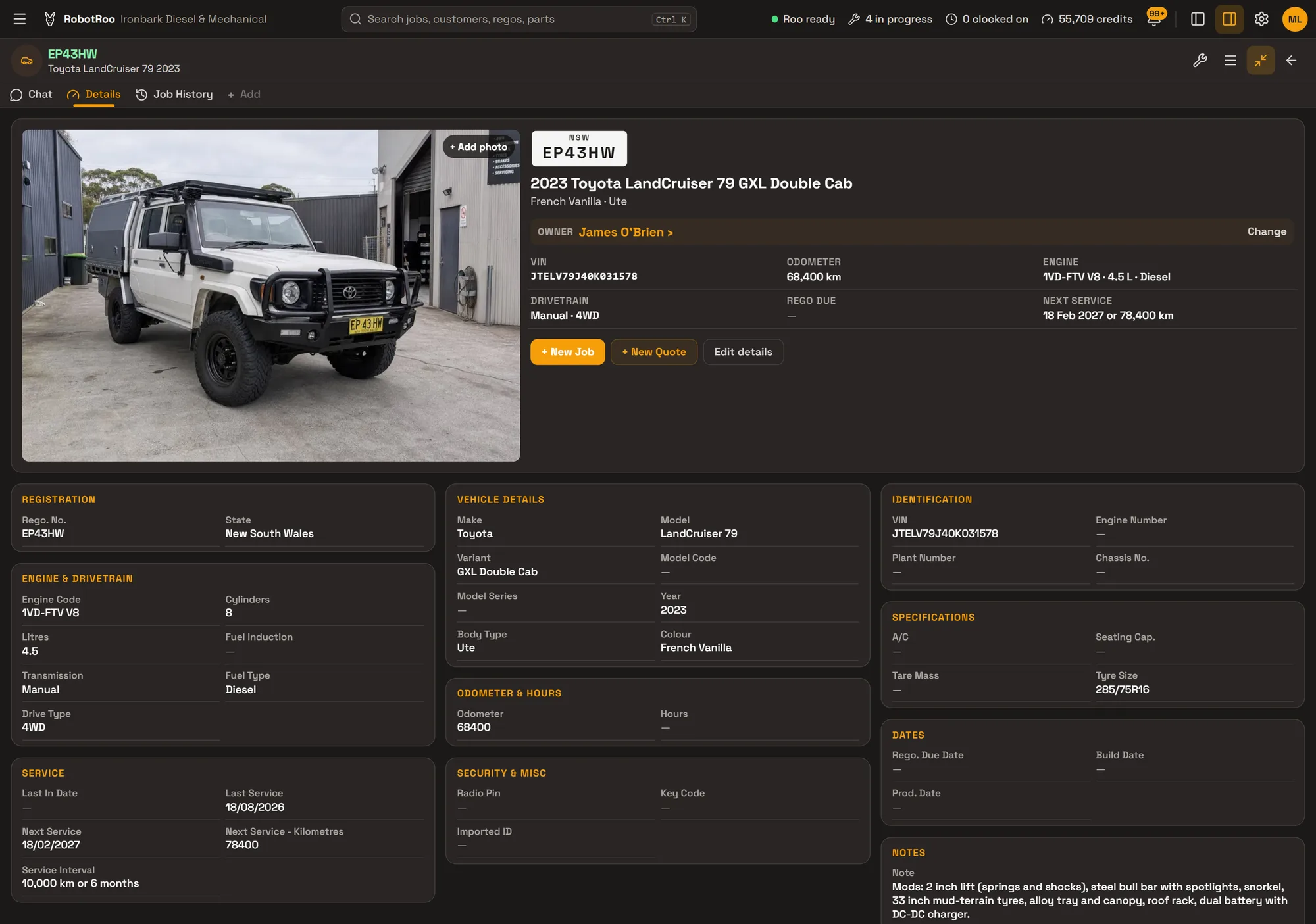
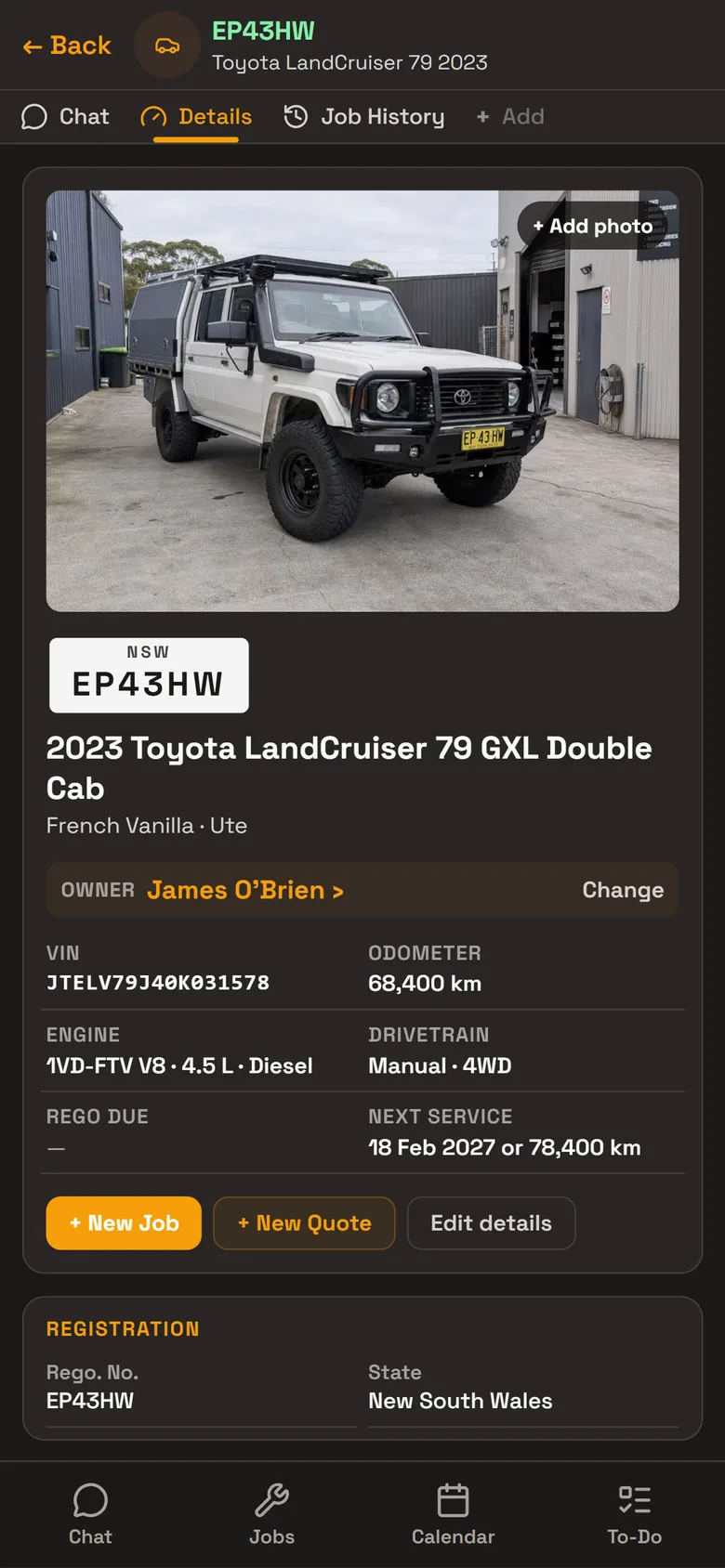
Each 4x4 has its own record with its engine, tyres, service interval and what’s been fitted to it, and every job done on it.
Fit-outs on record
Keep a vehicle’s modifications in its notes, so the next mechanic knows what’s been fitted before they start. Ask Roo to update them when you fit something new.
- ModificationsLift, bar, snorkel, tray and electrics, listed in the vehicle’s notes.
- Tyres and drivetrainTyre size, gearbox and drive have their own fields.
- PhotosPhotos of the fit-out on the vehicle’s record and on each job.
- Job historyEvery fit-out and service job on the vehicle, with its parts, labour and total.
Quoting fit-outs
Build a quote from your parts catalogue and labour, priced with the customer’s markup. Roo writes the quote notes, with urgent and safety items first, and you email the quote as a PDF.
When the parts arrive, send Roo the supplier’s invoice and he adds them to the job.
- Your catalogueParts with stock, cost and sell prices and markup.
- Quote to invoiceThe same job becomes the invoice when the work is done.
Day to day
Every job from booking to invoice on one board, with its status, mechanic and due date.
Send Roo a photo or PDF of a supplier’s invoice and he adds the parts to the job, priced with your markup.
Day, week and month calendar, with the rego, customer and mechanic on every booking.
Roo searches the web for recalls, known issues, procedures and labour times for the job, with a link to every source.
Mechanics clock on and off jobs, and timesheets show their time on jobs.
Invoices, payments and credit notes go to your Xero account.
Ask Roo
Tell me what you fitted and I’ll add it to the vehicle’s notes. Ask me what’s on a vehicle before you start, or send me the parts invoice.
Things to ask
- Add the dual battery and DC-DC charger to EP43HW’s notes
- What’s been fitted to EP43HW?
- When is EP43HW due for its next service?
- Here’s the parts invoice for this job (with a photo or PDF)
- Write the quote notes for this job
Questions
Where do I record modifications?
In the vehicle’s notes. Write them yourself or ask Roo to update them.
Can I keep photos of the fit-out?
Yes. Photos go on the vehicle’s record and on each job.
Can I quote a full fit-out?
Yes. Add the parts and labour to a quote, priced with the customer’s markup, and email it as a PDF.
Do my mechanics have to type?
No. They can send Roo a voice message or a photo, and Roo helps with the data entry.
Can I bring my data across?
Tell us what software you use when you register interest. We’ll assess how to bring your data across.
Who else RobotRoo is for
Also for heavy vehicle and diesel workshops, motorbike and scooter service centres, independent garages and car service centres, marine servicing and repair, auto electricians, caravan and motorhome service centres, farm machinery workshops, mobile mechanics and dealership service departments.