Who it’s forMotorbike & Scooter Service Centres
Motorcycle workshop management software
Manage motorcycle and scooter repairs, keep each bike’s service history in one place, and give riders clear notes on every invoice.
Roo, the AI assistant, writes the invoice notes from your mechanic’s notes and helps with data entry from voice messages and photos.
Each bike’s record
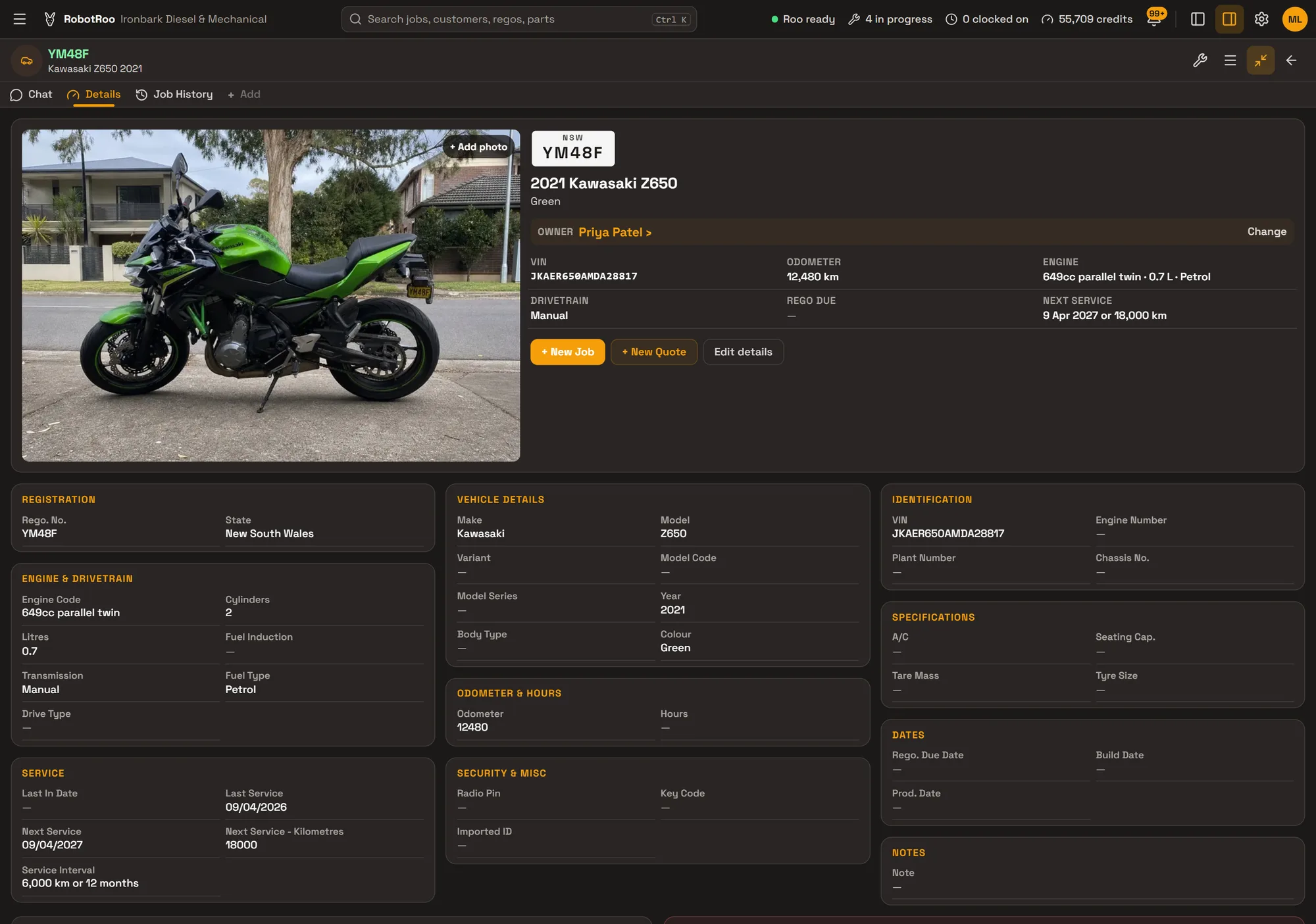
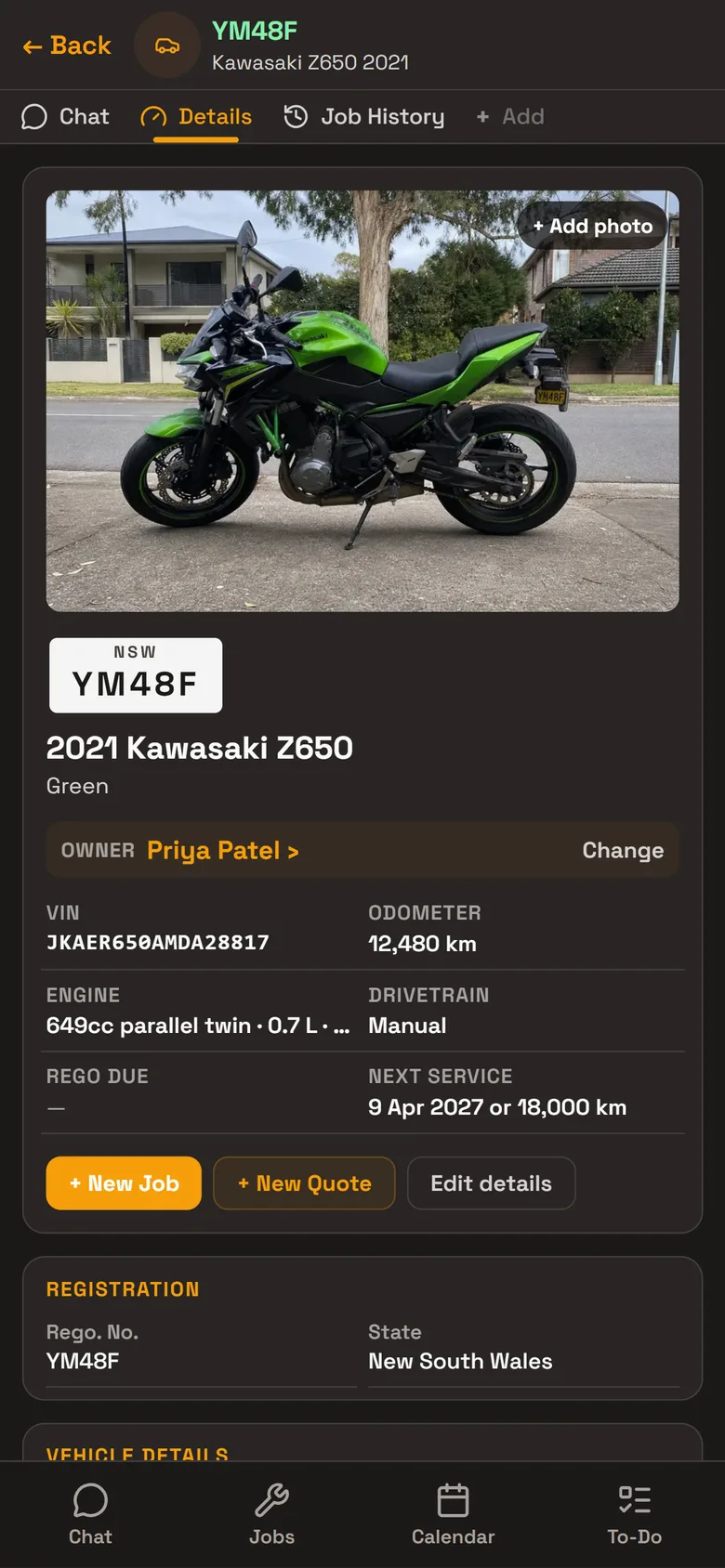
Every motorbike and scooter has its own record, with its photos, its rider and every job done on it. Open the bike and its history is there, or ask Roo what was done on it last.
- IdentificationRego, VIN and engine number.
- EngineEngine code, capacity, cylinders, fuel and gearbox.
- Service intervalSet it for each bike, like 6,000 km or 12 months. The next service, by date or kilometres, shows at the top of the record.
- OdometerFinishing a job updates the odometer and the next service.
- Job historyEvery job on the bike, with its work, status and total.
Notes riders can read
Mechanics write their notes the way they talk. On the job, Generate story has Roo write the invoice or quote notes from them: what was done, what was checked and when to come back.
Choose the writing style, edit what Roo wrote, or Undo it. The notes print on the quote or invoice you email.
- From the mechanic’s notesRoo writes from the work, the parts and labour lines and the notes, never the prices.
- Quote or invoiceQuote notes look ahead, with urgent and safety items first. Invoice notes say what was done and what to come back for.
- Voice messagesSend Roo a voice message from the workshop and he adds it to the job’s mechanic notes.
Day to day
Every job from booking to invoice on one board, with its status, mechanic and due date.
Send Roo a photo or PDF of a supplier’s invoice and he adds the parts to the job, priced with your markup.
Roo writes the notes on the quote or invoice from your mechanics’ notes, and you email it as a PDF.
Day, week and month calendar, with the rego, customer and mechanic on every booking.
Roo searches the web for recalls, known issues, procedures and labour times for the job, with a link to every source.
New customers fill in a form from your QR code, with photos of their bike, and you approve them.
Ask Roo
Send me photos of the bike, its VIN and the odometer and I’ll add it to the rider’s account. Ask me what was done on a bike last, or to book it in.
Things to ask
- Add this bike for Priya Patel (with photos of the bike, VIN and odometer)
- When is YM48F due for its next service?
- What have we done on YM48F?
- Book YM48F in with Jess on Friday at 8am
- Write the invoice notes for this job
Questions
Can I add motorbikes and scooters?
Yes. Each has its own record with its rego, VIN, engine and service details. The body type list is for road vehicles (Sedan to Bus, and Other), so choose Other or leave it empty.
Can I set a service interval for each bike?
Yes. Each bike has its own interval and its next service by date or kilometres, and the vehicle list can be filtered to those due in the next 30 days.
What do riders see on the invoice?
The parts and labour, and the Invoice / Quote Notes. Roo can write the notes from your mechanic’s notes.
Do my mechanics have to type?
No. They can send Roo a voice message or a photo, and Roo helps with the data entry.
Can I bring my data across?
Tell us what software you use when you register interest. We’ll assess how to bring your data across.