Who it’s forAutomotive Electrical & Diagnostic Specialists
Auto electrician software
Keep vehicle electrical and diagnostic jobs organised, attach supplier invoices to jobs and turn your technicians’ notes into clear invoice notes.
Diagnostic work is hard to explain on an invoice. Roo, the AI assistant, writes the notes from what your technician found, so the customer can see what was tested and fixed.
From test results to invoice notes
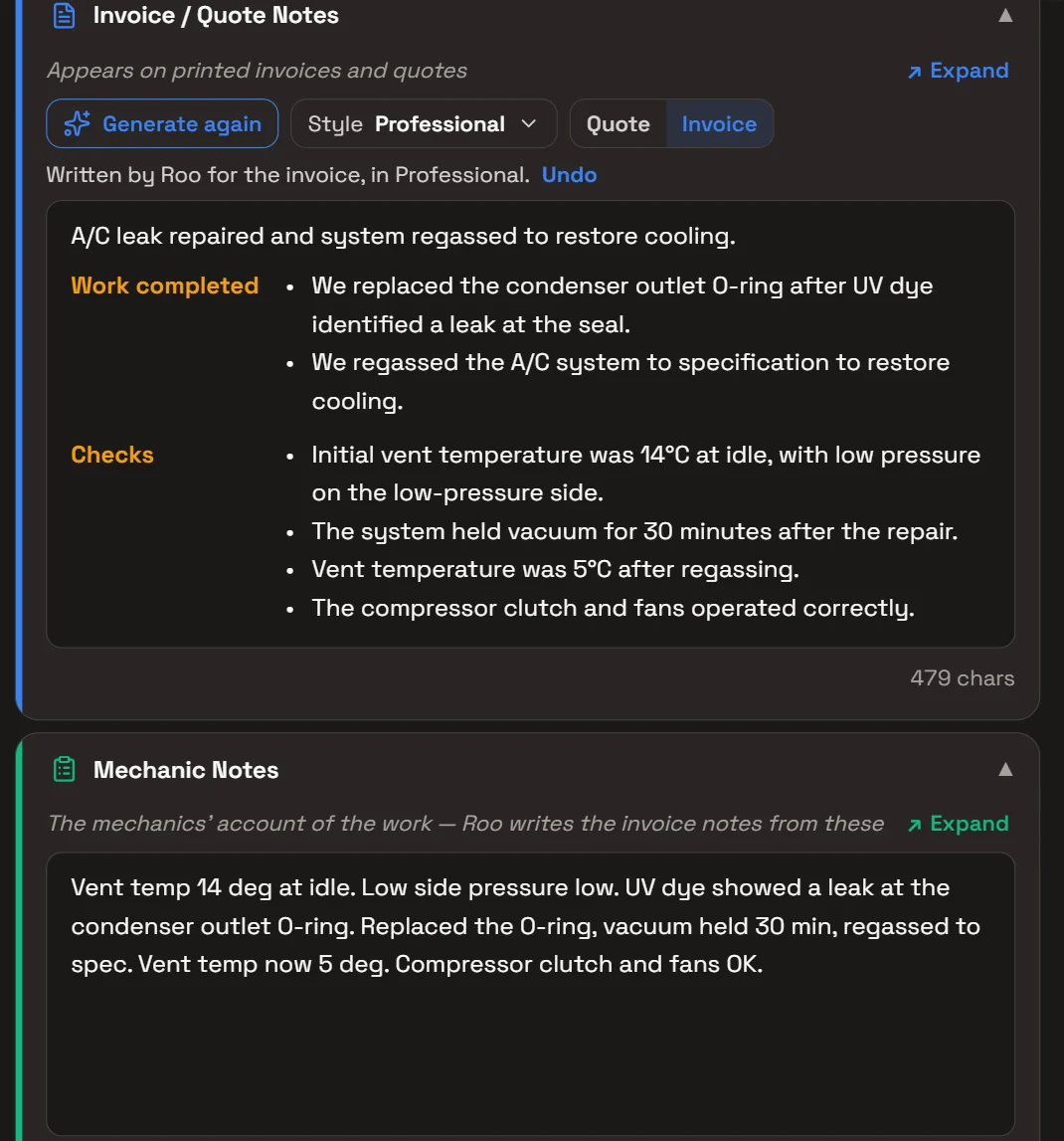
The technician writes the Mechanic Notes in their own shorthand: readings, what was found and what was done. Generate story has Roo write the Invoice / Quote Notes from them, in the writing style you choose.
Edit what Roo wrote, write it again in another style, or Undo it. The Invoice / Quote Notes print on the quote and invoice.
Research on the job
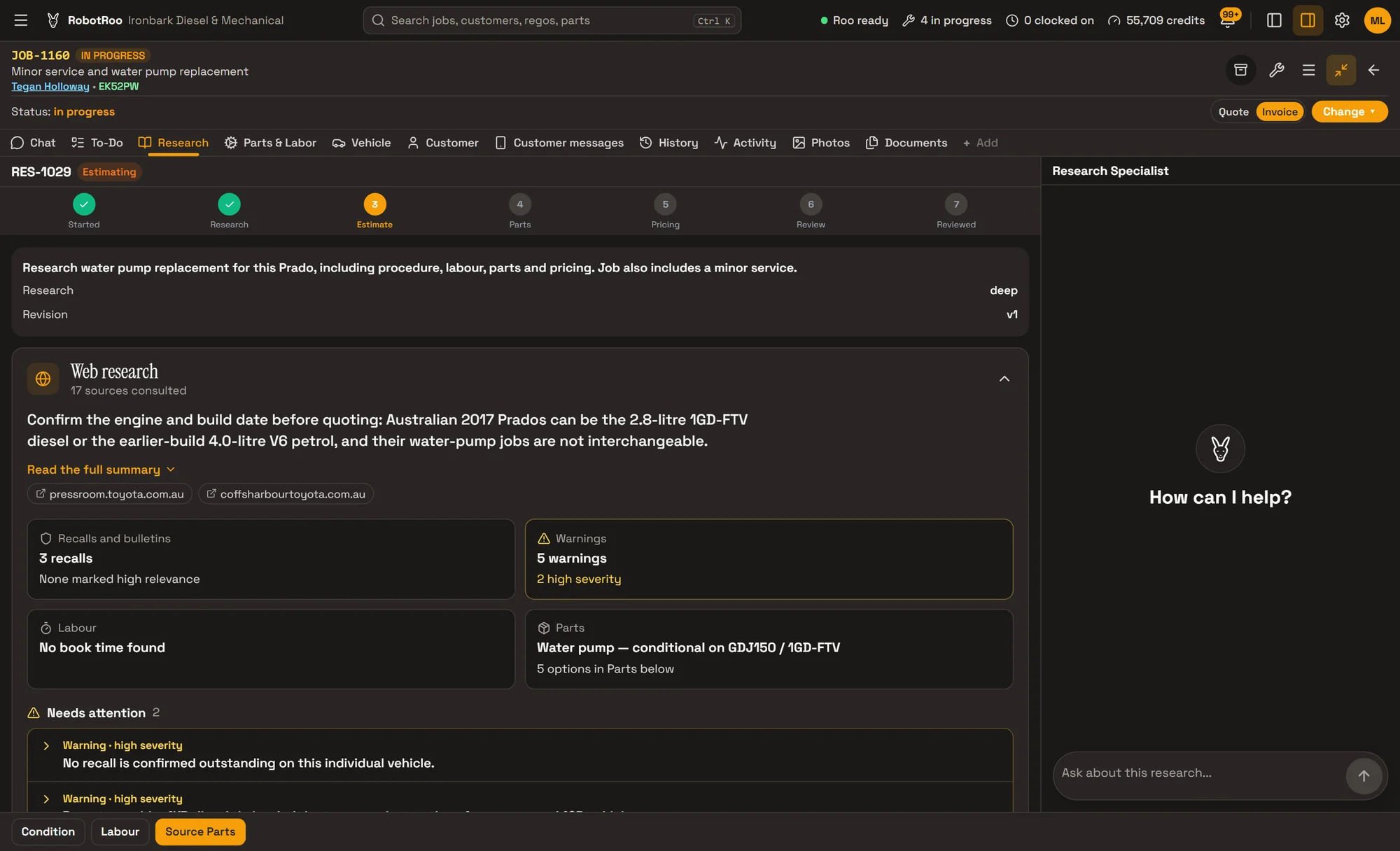
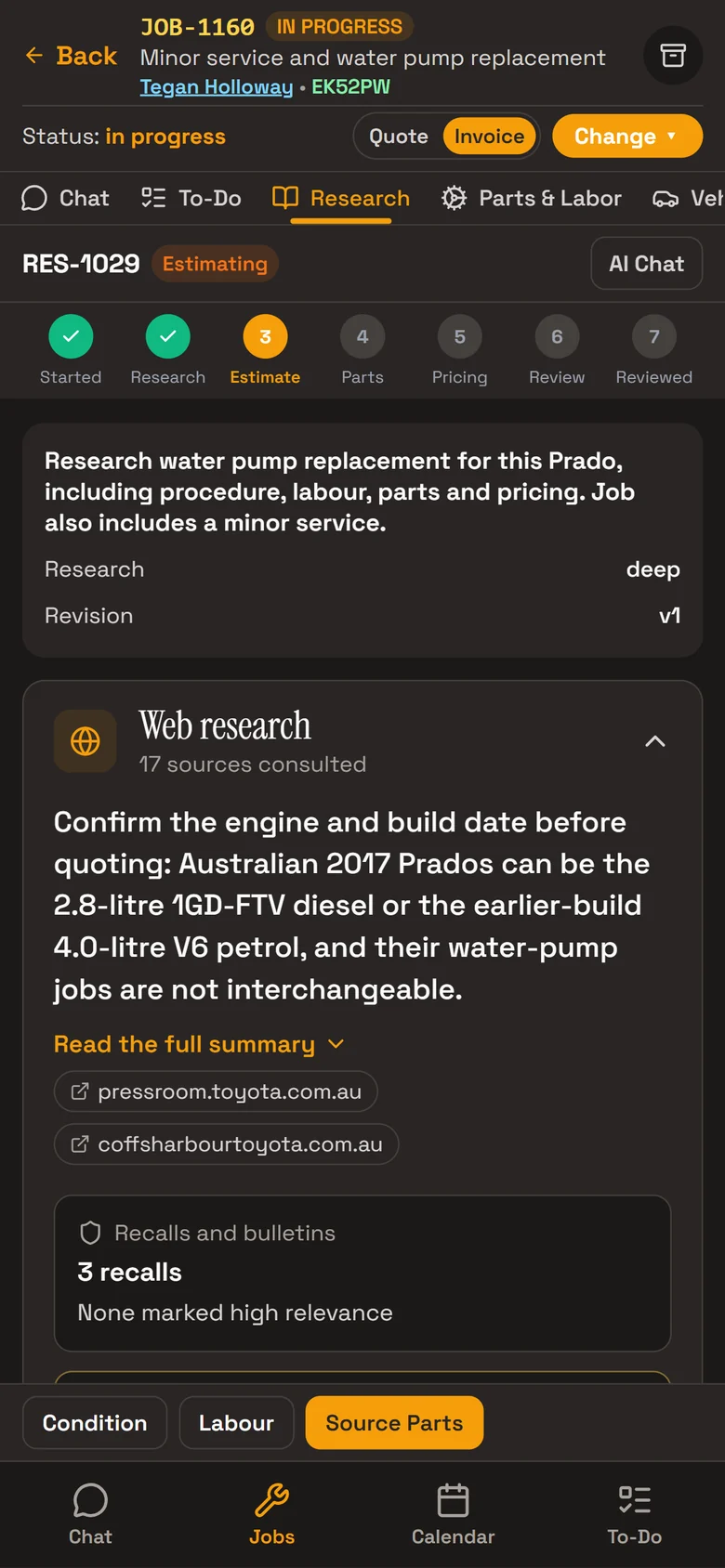
On a job’s Research tab, Roo searches the web for the vehicle and the work: recalls, service bulletins, known issues, procedures, labour times and parts, with a link to every source.
He also looks through your own past jobs on the vehicle and on similar ones.
- Recalls and bulletinsIncluding Australian recalls, with the source for each.
- Known issuesWhat others have found on the same vehicle and fault.
- Ask about itAsk Roo about the research in the chat beside it.
Supplier invoices on the job
Send Roo a photo, or a PDF of up to five pages, of a supplier’s invoice for a job. He adds each part to your catalogue at cost and to the job, priced with the customer’s markup or your default.
- Filed on the jobThe photo is kept on the job, and a PDF’s pages are saved there as images.
- Kept off the customerSupplier invoices show your cost prices, so Roo files them on the job, not on the customer or vehicle.
Day to day
Every job from booking to invoice on one board, with its status, mechanic and due date.
Day, week and month calendar, with the rego, customer and mechanic on every booking.
Mechanics clock on and off jobs, and timesheets show their time on jobs.
Every past job on the vehicle, so you can see what was done before.
Your parts catalogue with stock, cost and sell prices and markup.
Invoices, payments and credit notes go to your Xero account.
Ask Roo
Send me the parts invoice and I’ll put the parts on the job. Tell me what you found and I’ll write it up for the customer.
Things to ask
- Here’s the parts invoice for JOB-1006 (with a photo or PDF)
- Write the invoice notes for JOB-1006
- What have we done on BV97NR?
- Add 1.5 hours labour to JOB-1006
- Email Westlink their invoice
Questions
Does RobotRoo connect to my scan tool?
No. Write the readings in the job’s Mechanic Notes, or send Roo a photo of the scan tool’s screen and he files it on the job.
Can I attach supplier invoices to a job?
Yes. Send Roo a photo or PDF and he adds the parts to the job and files the invoice there.
What prints on the invoice?
The parts and labour, and the Invoice / Quote Notes. Mechanic Notes and Internal Notes stay in the workshop.
Does Roo see prices when he writes the notes?
No. He writes from the work, the lines and the notes, never the prices.
Can I bring my data across?
Tell us what software you use when you register interest. We’ll assess how to bring your data across.
Who else RobotRoo is for
Also for heavy vehicle and diesel workshops, motorbike and scooter service centres, independent garages and car service centres, marine servicing and repair, caravan and motorhome service centres, farm machinery workshops, mobile mechanics, 4x4 workshops and dealership service departments.