FeaturesQuotes and invoices
Quotes and invoices
A job is the quote, then the invoice. Build it from your parts and labour, send it as a PDF, and record what’s paid.
Roo writes the story your customer reads from the mechanic’s notes, and checks the invoice against the work before it goes.
What it does
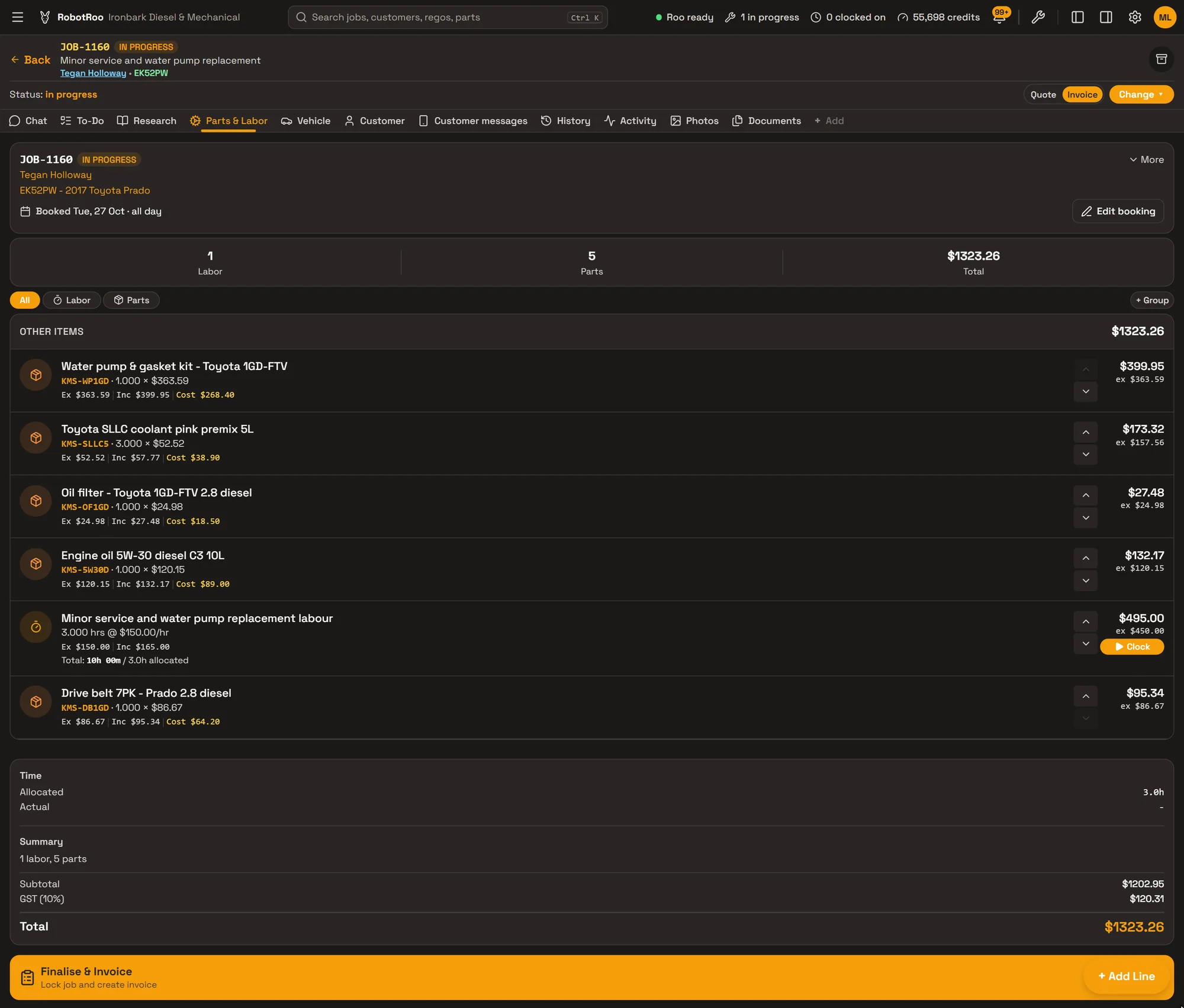
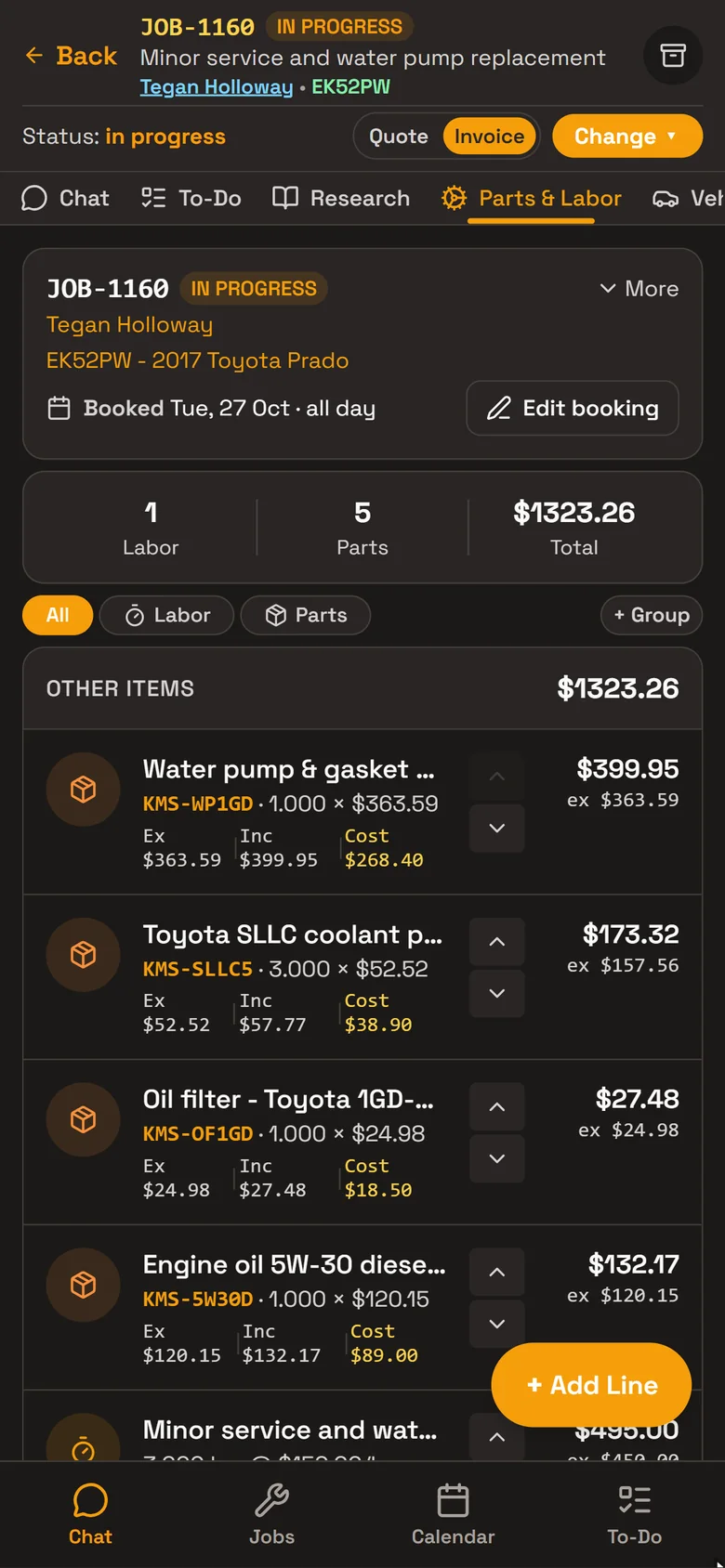
Lines from your catalogue
Parts and labour from your catalogue or typed in, grouped, with a discount on any line and GST worked out for you.
The quote becomes the invoice
One job, with a Quote | Invoice switch: QTE-1004 and INV-1004 for JOB-1004. Finalise & Invoice locks the job and creates the invoice.
The customer’s story
Roo writes the notes your customer reads from the mechanic’s notes, in your workshop’s style.
Payments and credit notes
Record full or part payments by card, EFTPOS, cash, bank transfer or cheque, and issue credit notes.
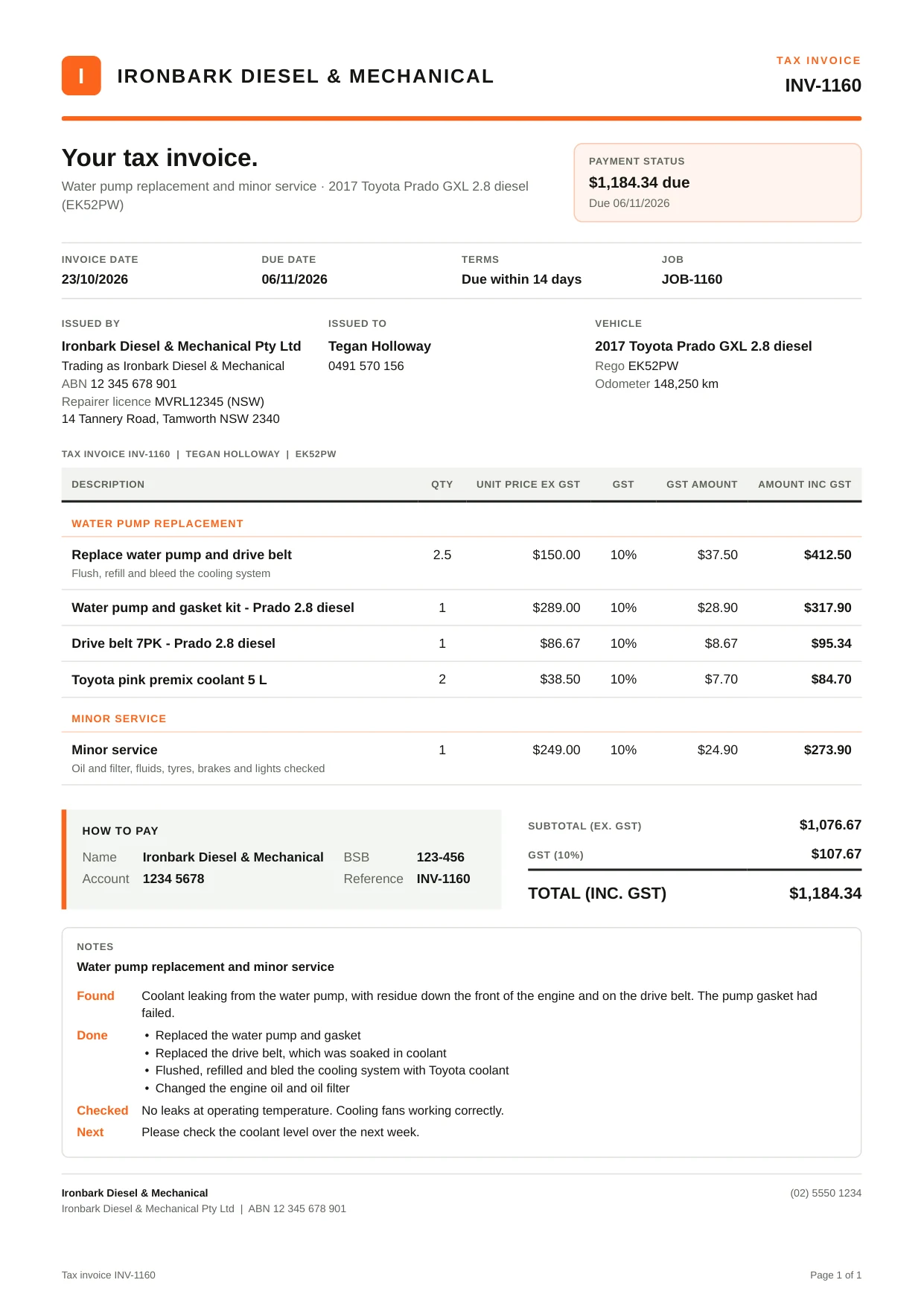
The invoice they get
Quotes, invoices and job cards print as PDFs with your logo, colours, ABN, repairer licence and bank details, and email straight from the job.
The work is grouped on its own lines with GST, how to pay, and the story Roo wrote from the mechanic’s notes.
How it helps
- Nothing typed twice.The quote’s lines become the invoice’s lines, and the job, customer and vehicle details carry across.
- Invoices customers understand.The story says what was found, what was done and what to watch, in plain words.
- Nothing left off.Ask Roo to check an invoice against the mechanic’s notes before it goes.
- Know who owes what.Outstanding and overdue totals at the top of Invoicing, and reports on money owed and payments received.
Ask Roo
Ask me to add lines, write the story, check the invoice, email it or record a payment. I ask you to OK it before I finalise, email or record a payment.
Yes, the replacement drive belt is missing from the invoice. The mechanic’s notes say a new belt was fitted because the old one was coolant-contaminated, but there’s no belt charge.
Added the Prado drive belt to the invoice at $86.67 ex GST ($95.34 inc GST). No extra labour added.
- Added line 1 × Drive belt 7PK - Prado 2.8 dieselUndo
Things to ask
- Write the invoice story for JOB-1160.
- Email Tegan her invoice.
- Westlink paid $96.90 by bank transfer for INV-1006.
- Who owes us money?
More details
For anyone who wants to know more.
Building the quote
- Parts and labour from your catalogue, or typed in
- Lines in groups you name, in the order you choose
- A discount on any line
- Your labour rate and parts markup, or the customer’s own rate, markup or discount
- GST worked out for you; GST-free customers and workshops not registered for GST
Quote to invoice
- One job with a Quote | Invoice switch, numbered QTE- and INV- from the job
- Record the customer’s answer: approved, or declined with the reason
- How long a quote stays valid
- Finalise & Invoice locks the job and creates the invoice; numbers are never reused
Getting paid
- Payment terms from the job, the customer or your default, setting the due date
- Full and part payments by cash, card, EFTPOS, bank transfer, cheque or other
- Credit notes for the whole invoice or some lines, with refunds of what’s left
- Void an invoice nothing has been paid on, and the job reopens
- Invoicing: outstanding, overdue, paid and today’s takings, with search and days outstanding
Documents
- Quotes, invoices, job cards and credit notes as PDFs, to download or email from the job
- Your logo, colours, ABN, repairer licence, bank details and terms
- Show or hide columns and sections in Settings
- The story on the invoice, written by Roo from the mechanic’s notes in your style
Reports and Xero
- Invoices owed, payments received, sales and quotes reports
- GST summary for the BAS
- Invoices, payments and credit notes sent to Xero
Access
- Owners, service managers and service advisers finalise, email and record payments
- Owners and service managers void invoices and issue credit notes
- Mechanics can’t finalise or take payments
Questions
Can I change an invoice after it’s finalised?
An invoice is a record that can’t be edited. Issue a credit note, or void it if nothing has been paid, and the job reopens to invoice again.
Does it handle part payments?
Yes. Record each payment as it comes in; the invoice shows what’s paid and the balance due.
Will my logo and bank details be on the invoice?
Yes. Add them in Settings › Business Profile, with your ABN, repairer licence and colours, and they go on quotes and invoices.
Does it work with Xero?
Yes. RobotRoo integrates with the accounting software Xero.
Does Roo send invoices on his own?
No. Roo asks you to OK it before he finalises an invoice, emails it or records a payment.
See the other features
Customers, vehicles, the Job Centre, parts, bookings, research and more.