FeaturesReports
Reports
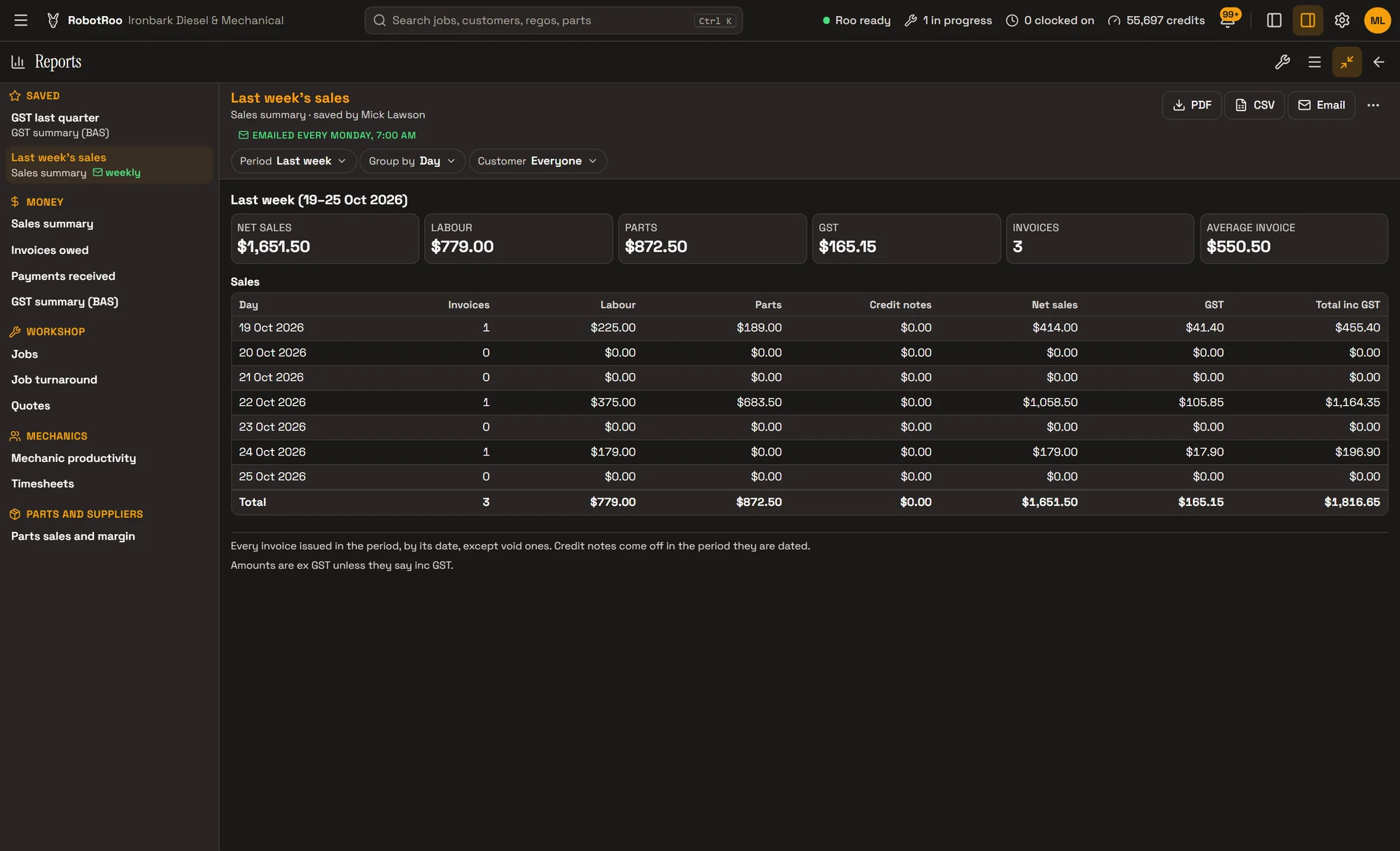
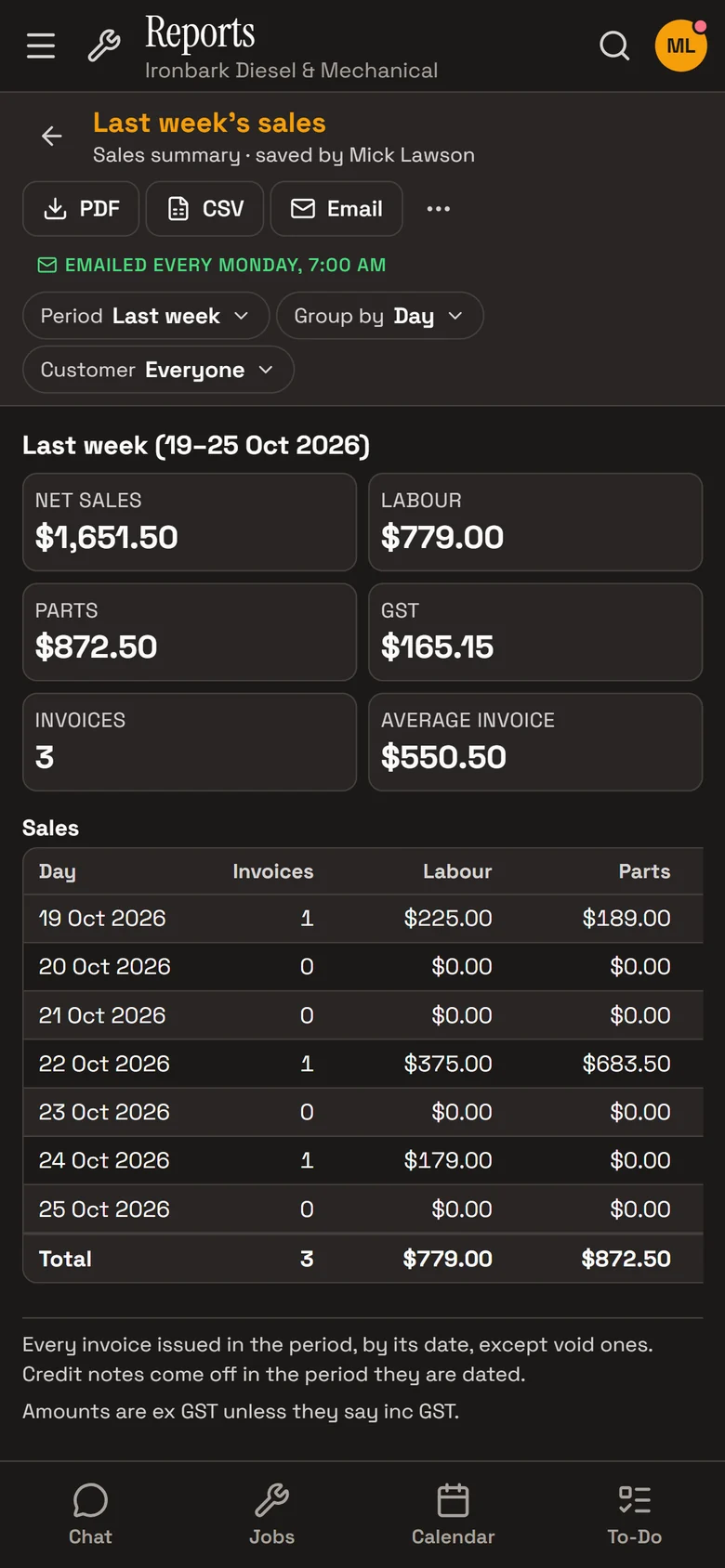
Sales, money owed, payments, jobs, quotes, mechanic productivity, timesheets and parts margin, for any period, as PDF or CSV.
Save the ones you use and have them emailed daily, weekly or monthly, or ask Roo for the numbers.
What it does
Money
Sales summary, invoices owed, payments received, and a GST summary for the BAS.
Workshop
Jobs, job turnaround, and quotes won and declined with the reasons.
Mechanics
Mechanic productivity and timesheets.
Parts
Parts sales and margin, with the lines that have no cost.
Who owes what
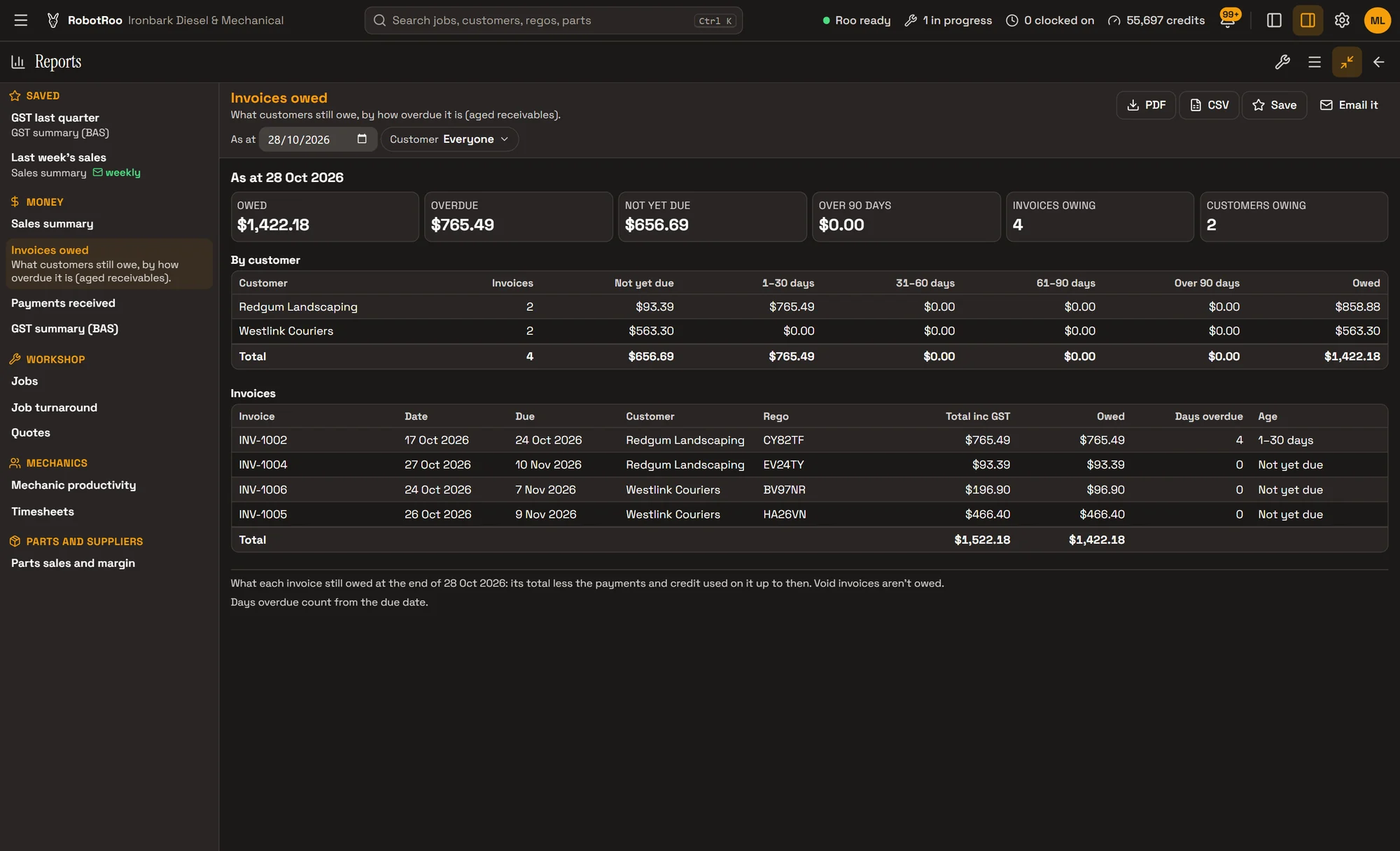
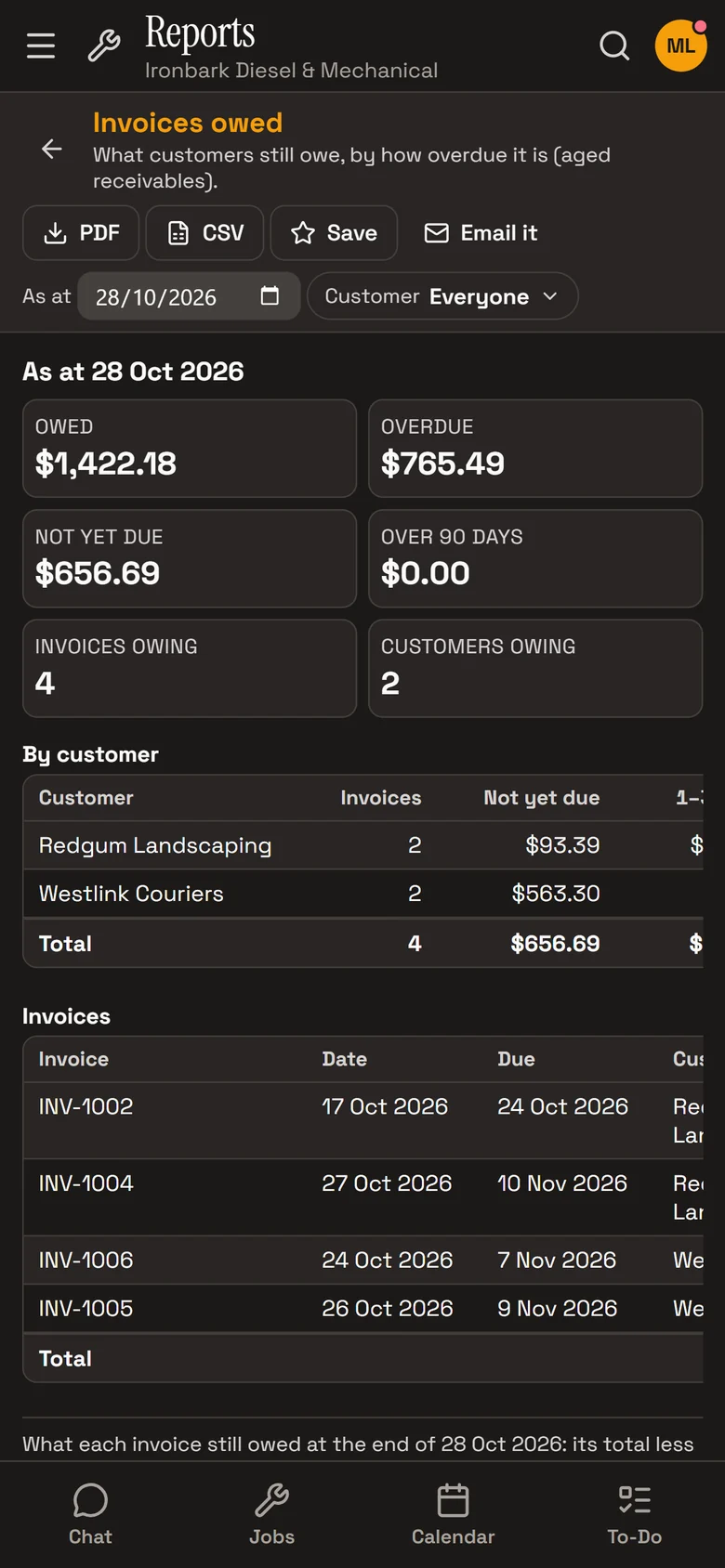
Invoices owed shows what each customer still owes, by how overdue it is: not yet due, 1–30, 31–60, 61–90 and over 90 days.
Every invoice still owing is listed underneath, with its due date and days overdue.
How it helps
- The numbers without a spreadsheet.Pick a report and a period, and it’s there.
- Chase the right money.See who owes what and how long it’s been overdue.
- In your inbox on Monday.Save a report and have it emailed daily, weekly or monthly.
- Ready for your accountant.Download any report as a PDF or CSV.
Ask Roo
Ask me for a report and a period, or to email one on a schedule. I read you the key figures.
Things to ask
- What did we invoice last month?
- Who owes us money?
- Email me the sales summary every Monday morning.
- How many quotes did we win this month?
More details
For anyone who wants to know more.
Money
- Sales summary: labour, parts, GST, invoices, by day, week, month, quarter or customer
- Invoices owed, by age
- Payments received and refunds, by method
GST summary (BAS)
- G1, G3 and 1A from your sales
- On the accrual or cash basis
- A guide to check before you or your BAS agent lodge
Workshop and mechanics
- Jobs, open or finished, by status, mechanic or customer
- Job turnaround and quotes
- Mechanic productivity and timesheets
Periods
- Today to last financial year, last 7, 30 or 90 days
- Or your own dates, up to 3 years
Sharing
- PDF and CSV downloads
- Email a report, or save it and email it on a schedule
- Owners and service managers; other roles if you allow it
Questions
Can I lodge my BAS from RobotRoo?
No. The GST summary covers your sales and is a guide to check before you or your BAS agent lodge. Take your purchases from your accounting software.
Who can see reports?
Owners and service managers. You can give other roles access to run, download or save them.
Can I get a report emailed every week?
Yes. Save it, then choose daily, weekly or monthly.
Can I change the period?
Yes. Choose from today to last financial year, or your own dates up to 3 years.
See the other features
Customers, vehicles, the Job Centre, quotes and invoices, bookings, Xero and more.