FeaturesVehicle management
Vehicle management
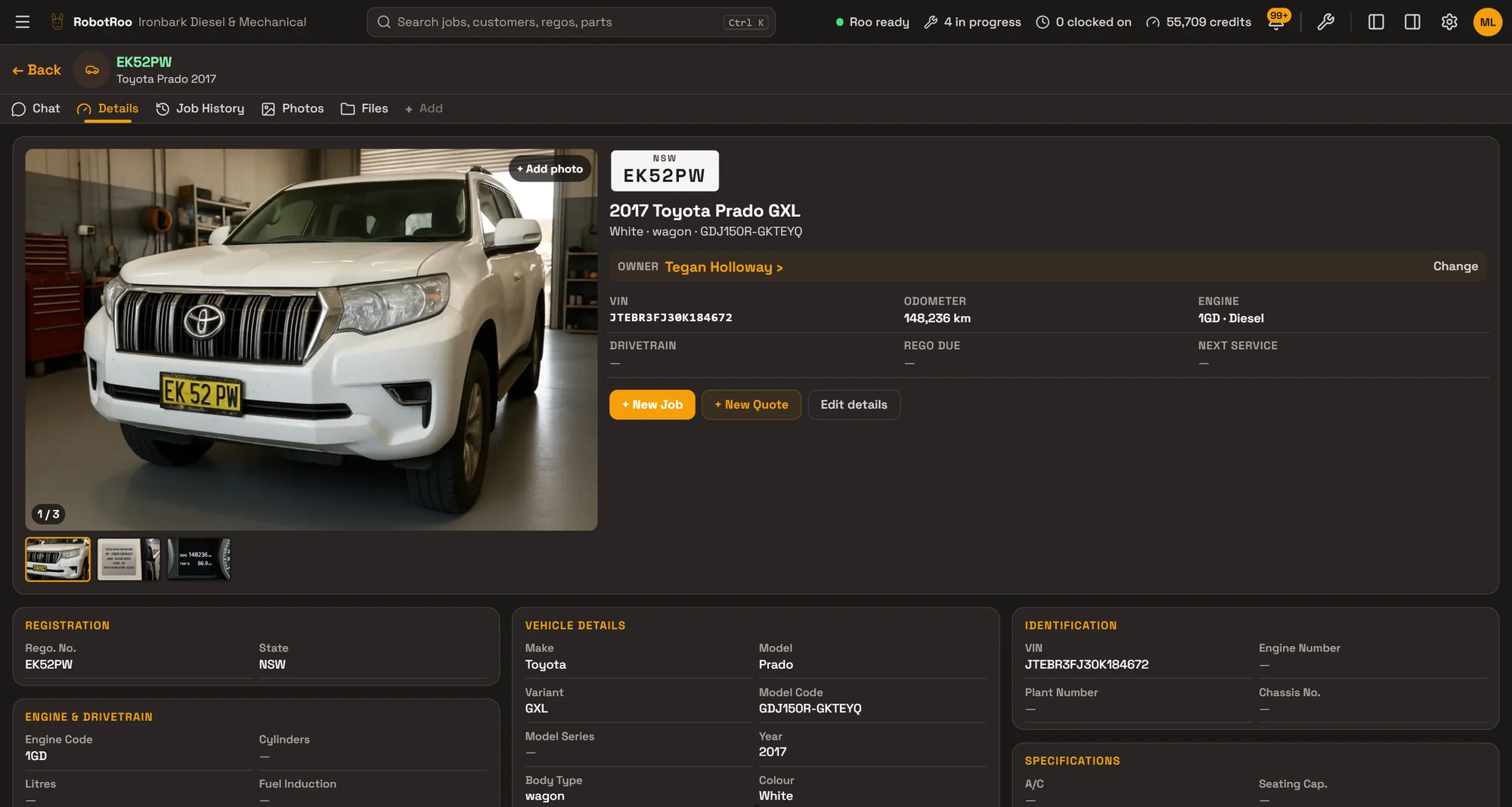
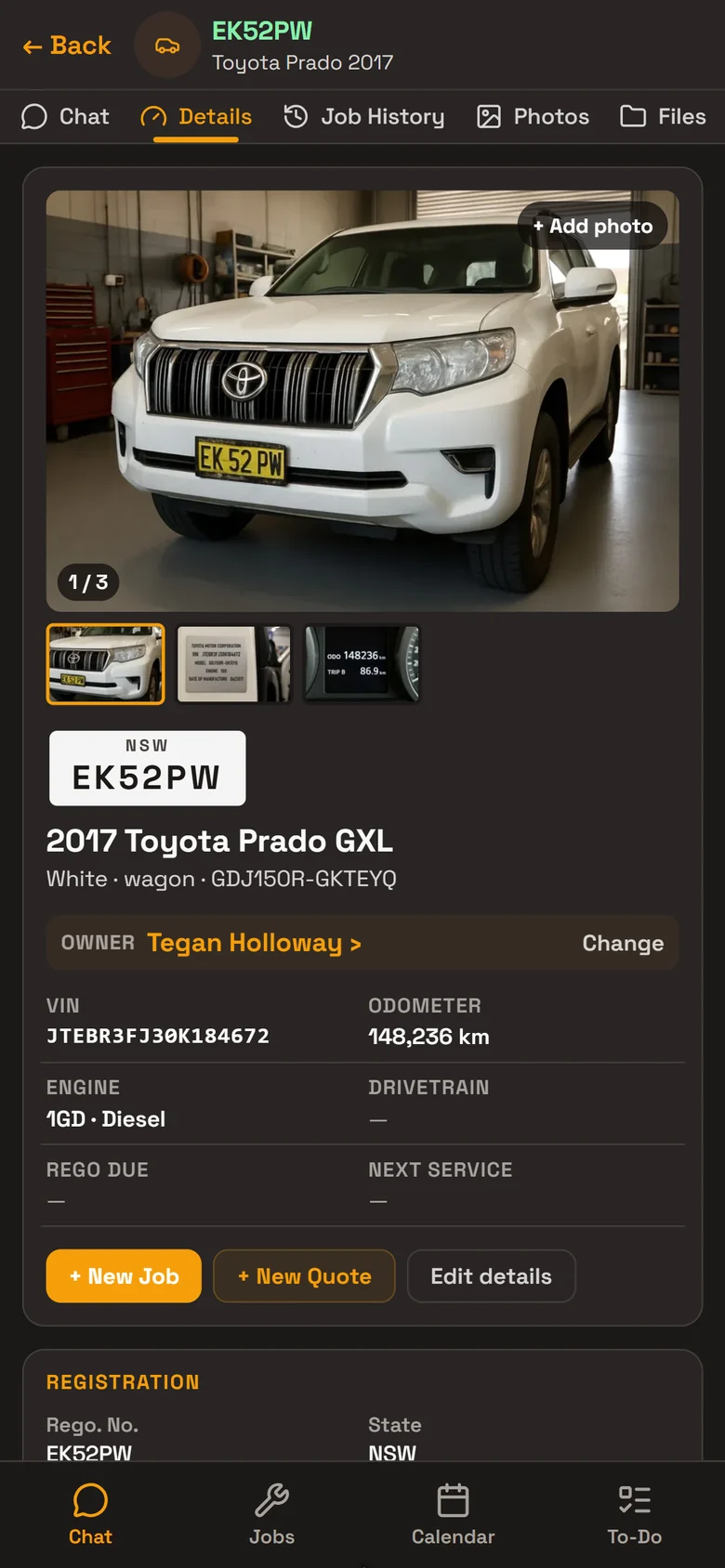
Every vehicle on file with its rego, VIN, specs, photos and owner, and every job it’s been in for.
Add a vehicle by typing, from a customer’s QR sign-up, or by sending Roo photos of the rego plate and VIN label. Its history stays with it, whoever owns it.
What it does
Everything about the vehicle
Rego and state, VIN, engine and chassis numbers, make, model, variant, body, colour, engine, transmission, fuel, drive, tyre size and more.
Photos on file
Photos of the vehicle, its VIN label and odometer, kept on its page. Files such as rego papers go with it too.
Its owner
Every vehicle belongs to a customer. When it’s sold, change the owner and its history stays with the vehicle.
Odometer and service
Odometer or hours, rego due, last and next service. Finishing a job updates them from the job.
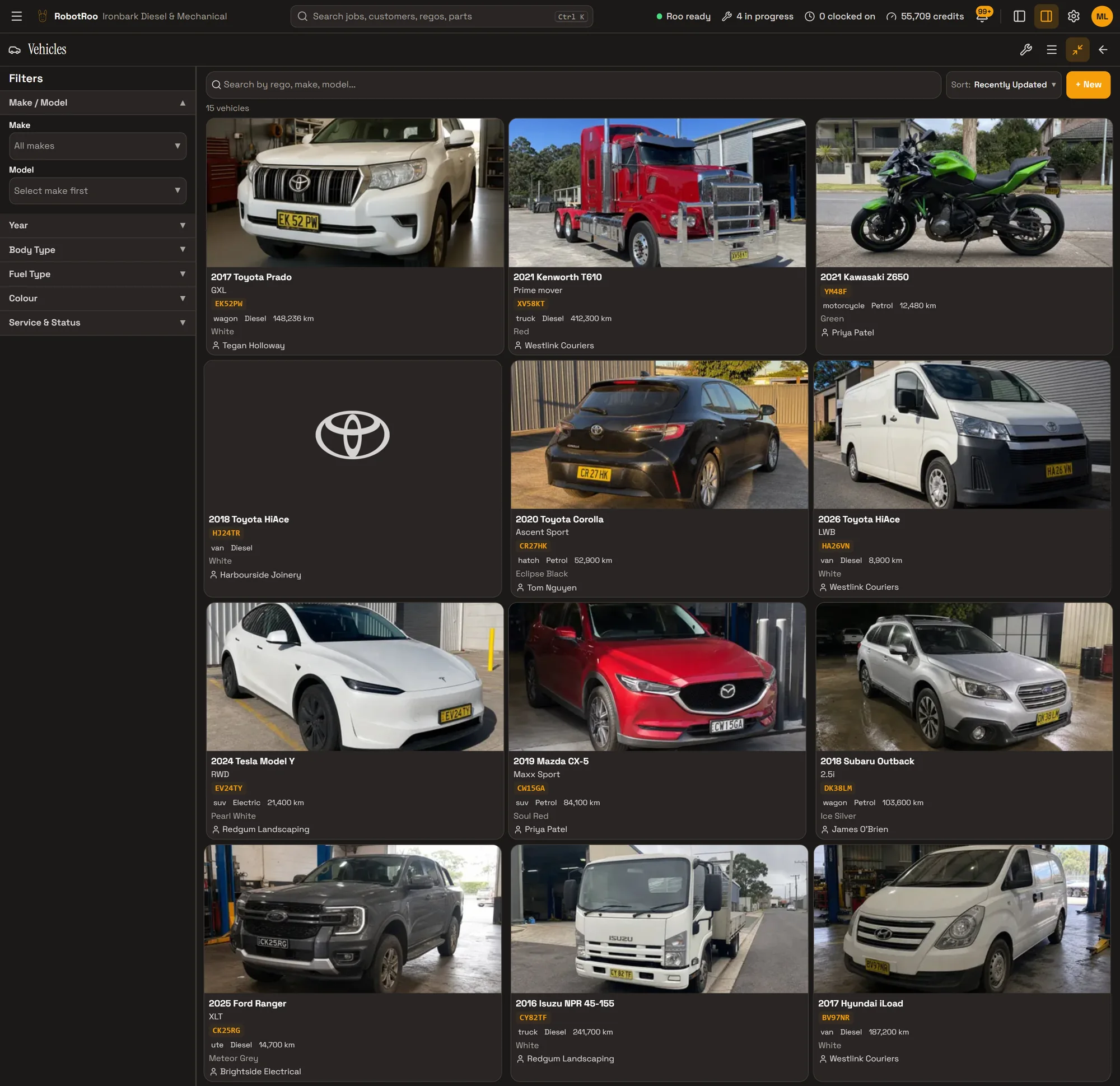
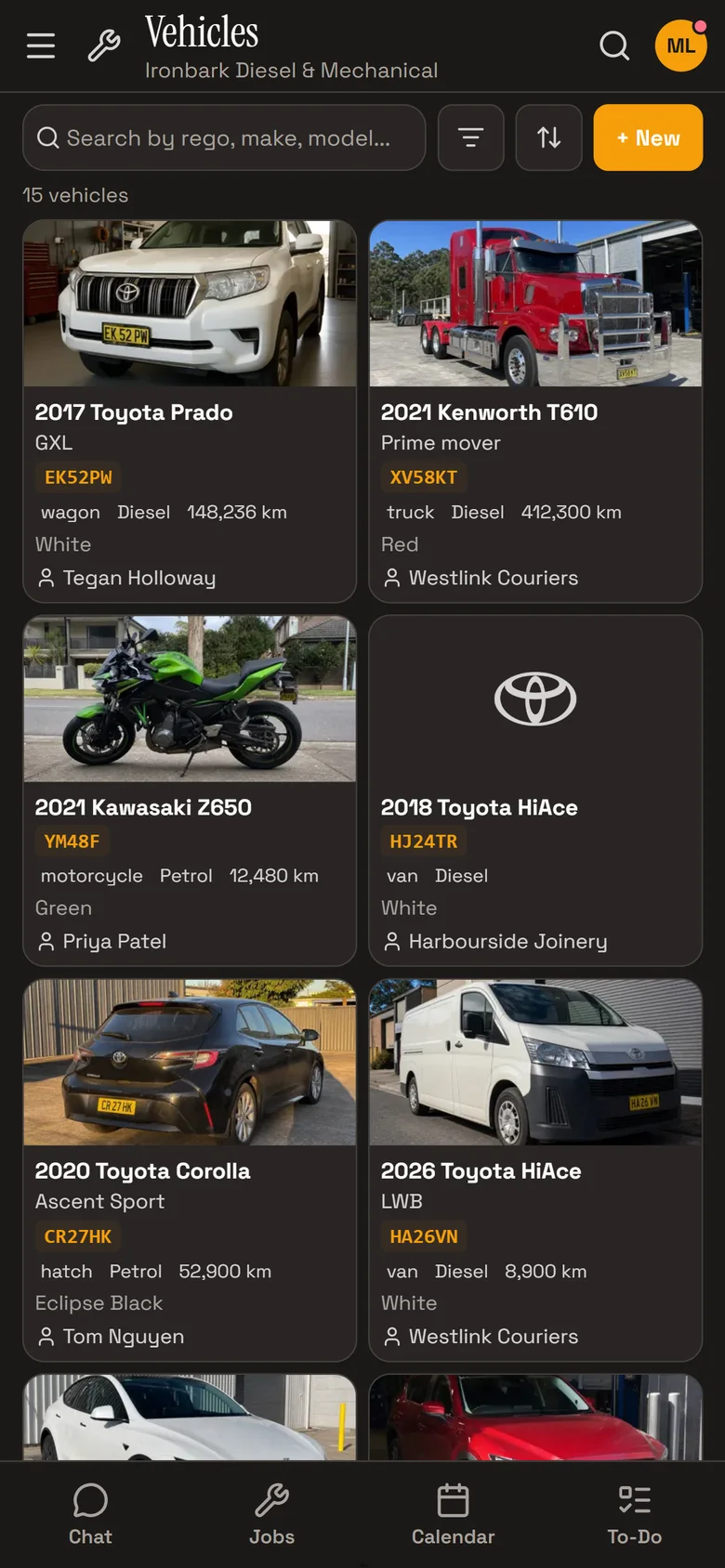
Every vehicle, at a glance
The Vehicles screen shows every vehicle in the workshop as a card with its photo, rego, details and owner. A vehicle without a photo shows its maker’s logo.
Search by rego, VIN, make or model. Sort by recently updated, make, year or odometer, and filter by make, model, year, body, fuel and colour, or by service or rego due in the next 30 days.
Vehicle history
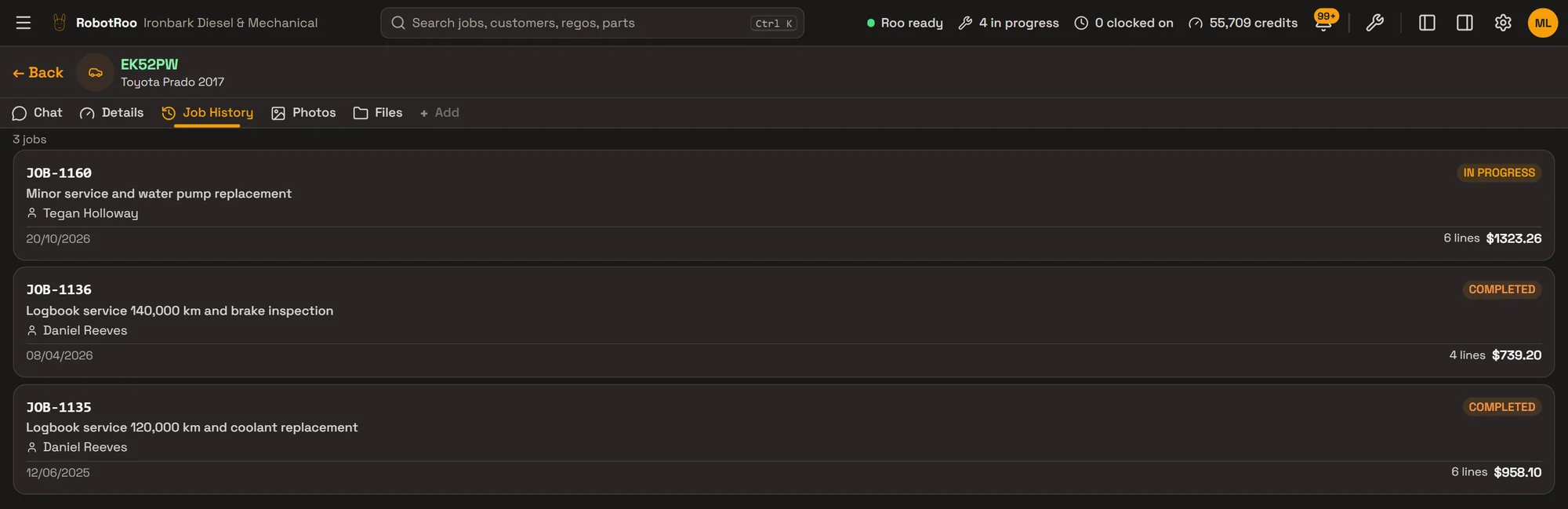
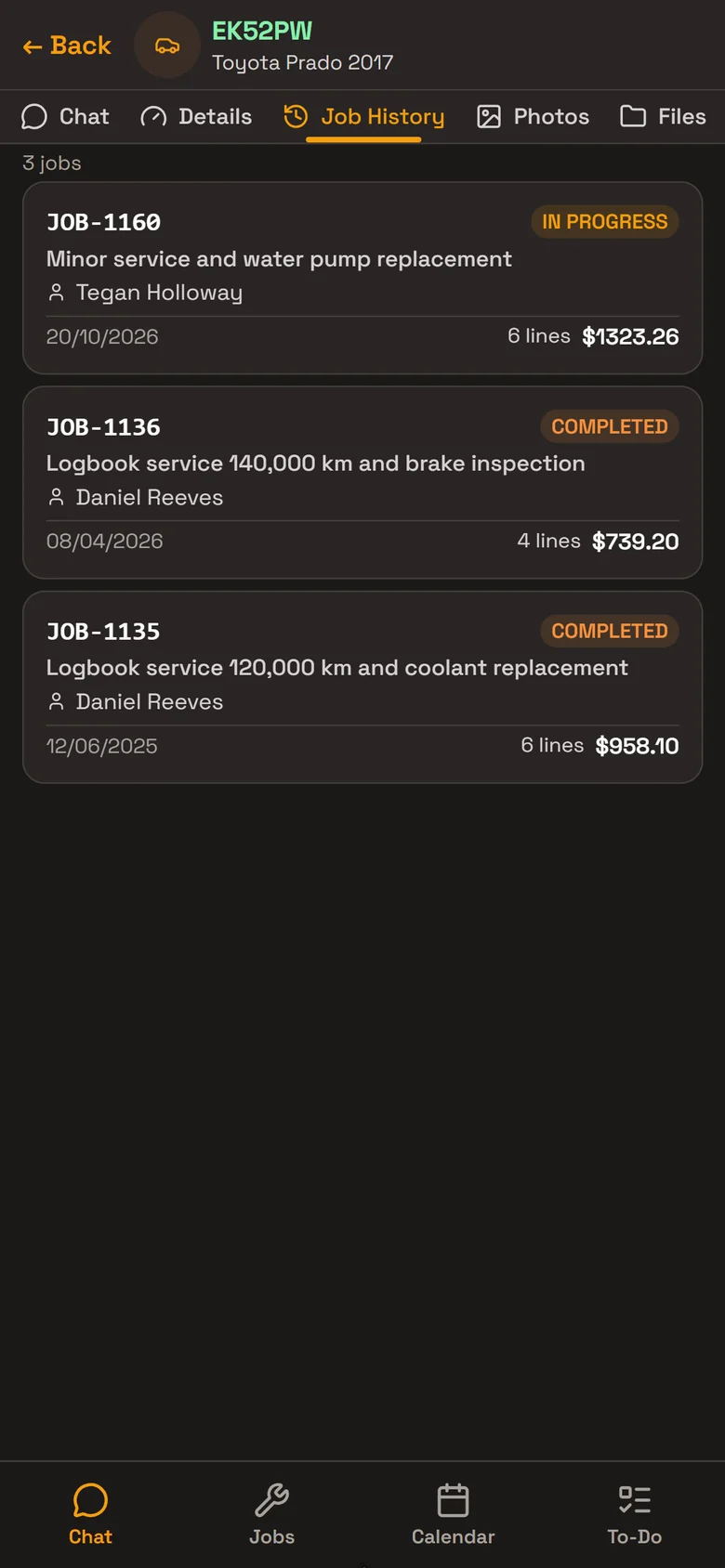
Every job the vehicle has been in for is on its Job History tab: the date, the work, who it was for, the number of lines and the total. When the owner changes, the history stays with the vehicle.
Ask Roo about a vehicle and he reads its past jobs for the dates, readings and notes, with the job numbers. When he researches a repair, he reads what was done to it before.
Asking Roo
The previous dated coolant replacement was 12 June 2025 (JOB-1135) at 119,850 km: flushed and refilled with 12 L of Toyota pink 50/50 premix.
Last brake report, 8 April 2026 (JOB-1136), 139,620 km: front pads 7 mm, even wear; rear pads 6 mm. Front rotors 31.4 mm (minimum 30 mm), lightly scored; rear rotors 16.8 mm (minimum 16 mm). Brake fluid 1% moisture, OK and not changed.
How it helps
- No typing in VINs.Send Roo photos of the rego plate, VIN label and odometer, and he adds the vehicle with the photos filed on it.
- Find any vehicle.Search by rego, VIN, make or model. Filter by make, year, body, fuel and more, or by service or rego due in the next 30 days.
- The whole story before you quote.Its past jobs are on one tab, and Roo can tell you what was done and when.
- History follows the vehicle.When a vehicle changes hands, its jobs stay with it for the next owner.
Ask Roo
Ask me in your own words. I find, add and update vehicles, read their past jobs, and move a vehicle to its new owner.
Added the 2024 Toyota HiLux, CX47RK, under Coastline Plumbing & Gas with 18,426 km and the VIN plate details. All three photos are filed on the vehicle.
- Created CX47RK · 2024 Toyota HiLuxUndo
- Linked 3 photosUndo
Things to ask
- What’s the odometer on the Prado?
- When did we last do the brakes on CY82TF?
- Set the next service on EK52PW to 160,000 km.
- Move the HiLux CX47RK to Westlink Couriers.
More details
For anyone who wants to know more.
On a vehicle
- Rego and state; VIN, engine, chassis and plant numbers
- Make, model, model code, series, variant, body type, colour and year
- Engine code, cylinders, litres, fuel induction, transmission, fuel type and drive
- Tyre size, air conditioning, seats and tare mass
- Build and production dates, radio PIN, key code and notes
Odometer and service
- Current odometer and hours
- Rego due date
- Last service, next service date and kilometres, and service interval
- Completing or invoicing a job updates the odometer, last service and next service from the job
The vehicle list
- Cards with each vehicle’s photo, or the maker’s logo
- Search by rego, VIN, make or model
- Sort by recently updated, make, year or odometer
- Filter by make and model, year, body, fuel, transmission, drive and colour
- Service due soon and rego due soon, within 30 days
Its page
- Details and Job History tabs, and a chat with Roo about the vehicle
- A photo gallery you can add to
- Photos, files and to-dos for the vehicle
- New Job and New Quote from its page
Adding a vehicle
- By hand, with its owner: pick a customer or add one there and then
- From photos sent to Roo in the chat
- From a customer’s QR sign-up: Roo reads the plate, VIN plate and rego papers photos and points out anything that differs from what the customer typed
- A rego can’t be added twice
Vehicle history
- Every job the vehicle has been in for, on its Job History tab
- Each job’s date, work, customer, lines and total
- Roo answers from its past jobs, with job numbers and dates
- Roo’s repair research reads what was done to the vehicle before
Owner
- Every vehicle has an owner
- Change the owner from its page, or ask Roo
- The change is recorded, and the vehicle keeps its jobs
Access and deleting
- Owners and service managers can do everything; service advisers can view and add; mechanics can view
- Deleting takes a vehicle off your lists; it’s blocked while it has active jobs
Questions
What happens to the history when a vehicle is sold?
Change its owner to the new customer. The vehicle keeps all its past jobs, so the next owner’s work starts with the full story.
Can Roo read the VIN from a photo?
Yes. Send photos of the rego plate, VIN label and odometer in the chat, and he adds the vehicle with the details and files the photos on it. Check what he’s read, as you would any data entry.
Can a business have lots of vehicles?
Yes. Their vehicles are listed on their page, and you can filter the vehicle list to find them.
Does RobotRoo look up a rego or VIN in a register?
No. Search finds the vehicles already on file by rego or VIN. Details come from what you enter, the customer’s sign-up or Roo reading the photos.
Can I bring my vehicles across?
Tell us what software you use when you register interest. We’ll assess how to bring your data across.
See the other features
Customers, jobs, parts, quotes and invoices, bookings, research and more.