FeaturesParts and inventory
Parts and inventory
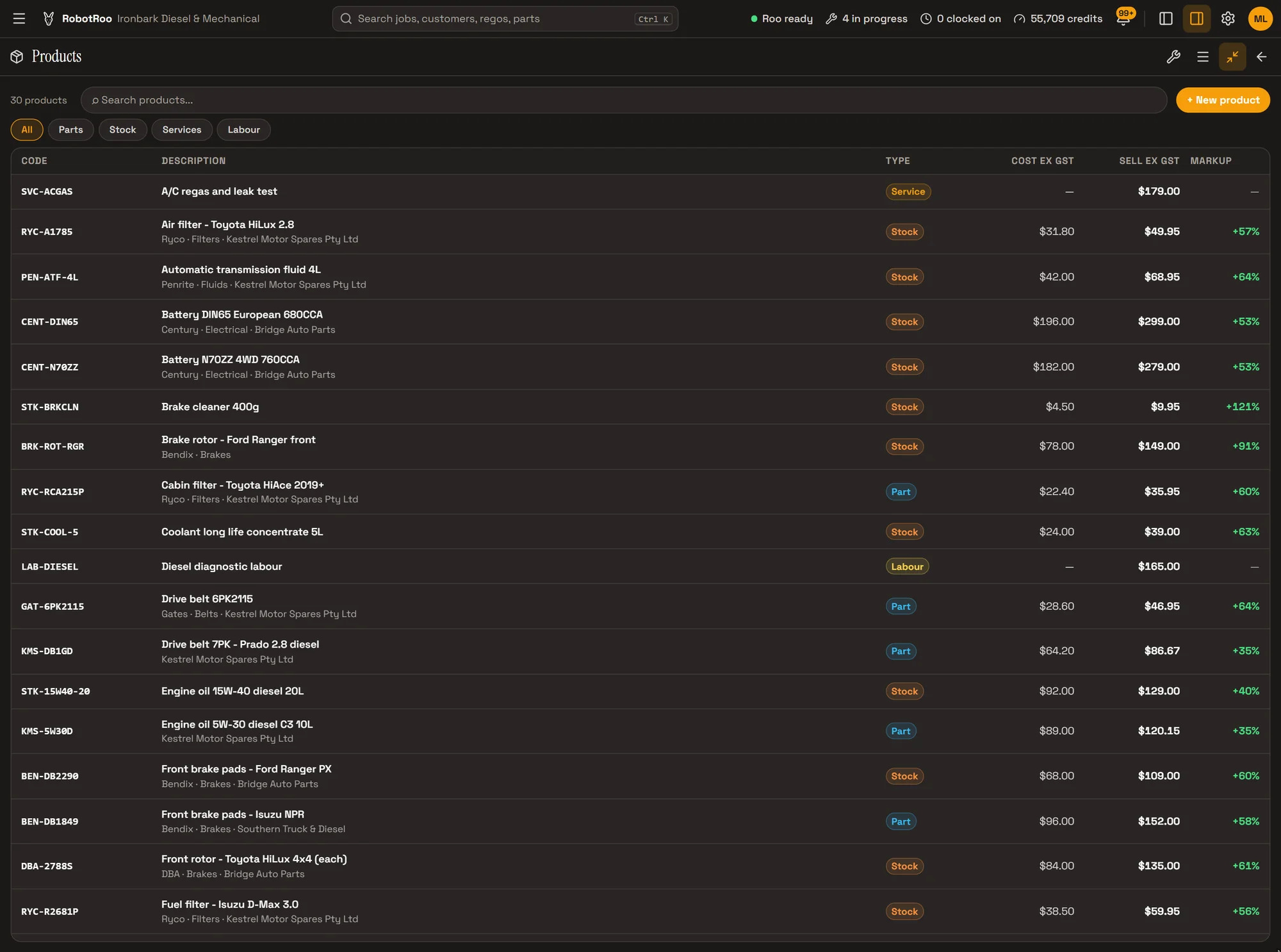
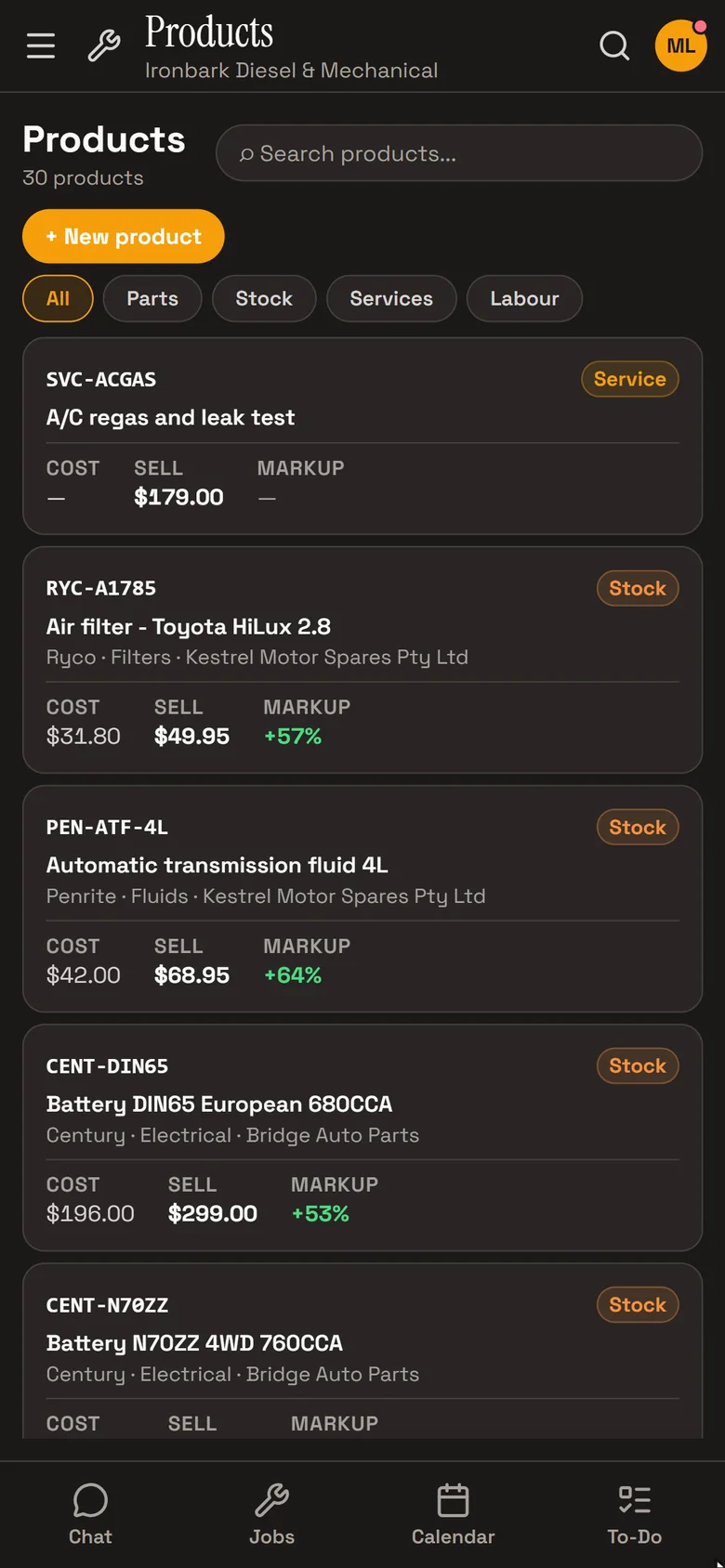
Your catalogue of parts, labour and services, with cost, sell price and markup on every one, and stock tracked for the parts you keep on the shelf.
Send Roo a supplier invoice and he adds the parts at cost, prices them with your markup and puts them on the job.
What it does
One catalogue
Parts, labour and services, each with its code, description, brand, category and supplier.
Cost, sell and markup
Cost and sell price on every product, with the markup worked out, and a record of each price change.
Priced for the customer
Your default parts markup and labour rate, or a customer’s own markup, hourly rate or discount, applied as lines go on the job.
Supplier invoices into parts
A photo or PDF of a supplier invoice becomes catalogue parts at cost and priced lines on the job.
Supplier invoices, read for you
Send Roo a photo or PDF of a supplier invoice or purchase order. He reads every line, adds any part you don’t have to the catalogue at the invoice’s cost, and puts the parts on the job priced for that customer.
If no markup is set, he asks what to use. The invoice is filed with the job.
By hand 10 min With Roo < 1 min
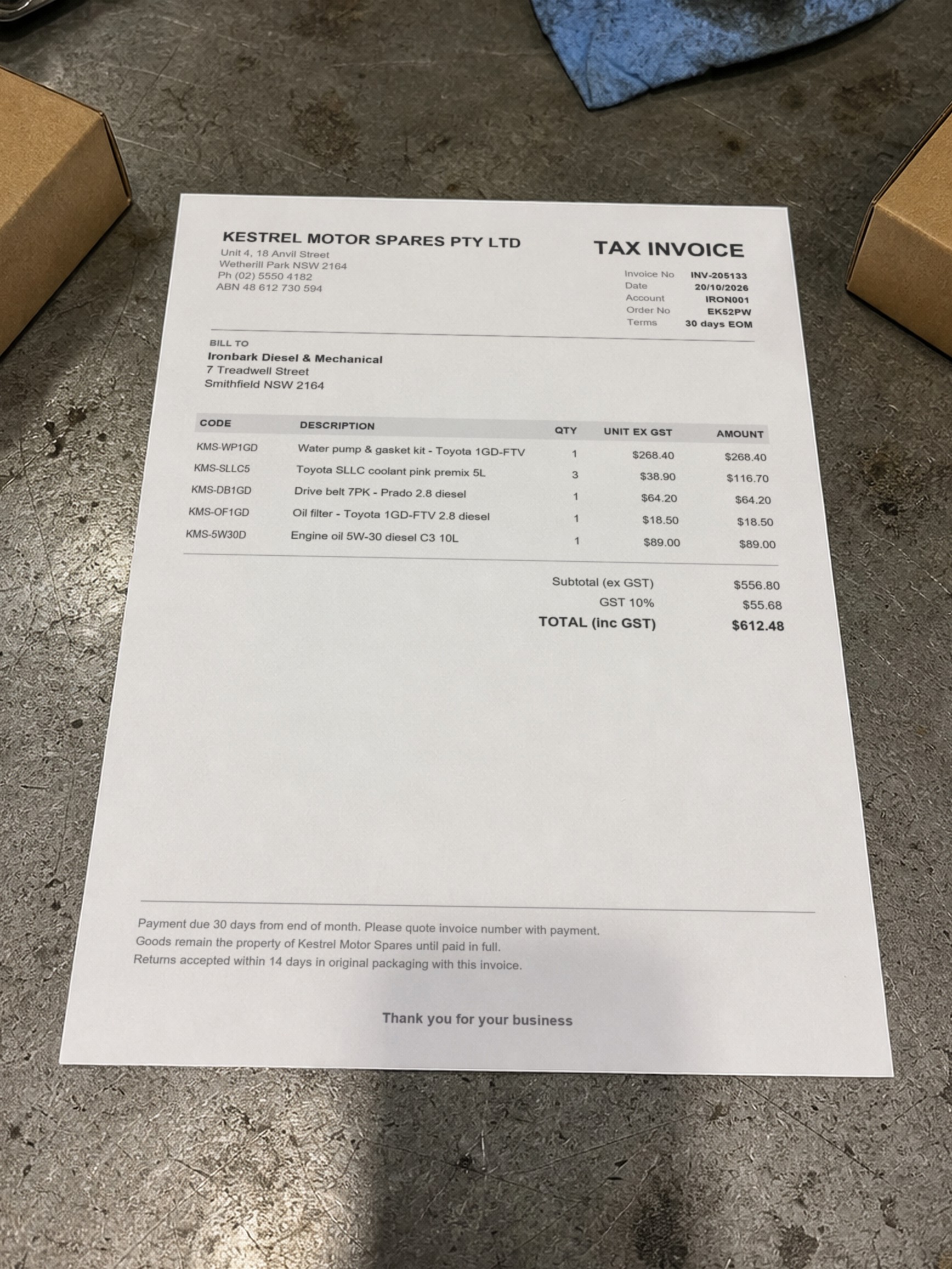
Added all five parts to the catalogue at invoice cost and onto the job with the standard 35% markup. The invoice photo is already attached to the job.
- Created KMS-WP1GD · Water pump & gasket kitUndo
- Added line 1 × Water pump & gasket kitUndo
How it helps
- No typing in supplier invoices.Roo reads the lines, codes and costs, so nobody keys them in.
- The right price every time.Lines are priced from your markup, labour rate or the customer’s own pricing, not from memory.
- Find a part fast.Search the catalogue by code or description, even with a typo, and filter by type.
- See what parts earn.The parts sales and margin report shows what you sold, at what cost and margin.
Ask Roo
Ask me to find a part, add or update a product, put parts on a job, or change your markup or labour rate.
Things to ask
- What do we charge for a HiLux oil filter?
- Add 2 × Ryco Z386 oil filters to JOB-1003.
- Change the sell price of the N70ZZ battery to $289.
- Set our parts markup to 40%.
More details
For anyone who wants to know more.
On a product
- Code, description and a second description
- Type: part, labour or service
- Brand, category and supplier
- Cost ex and inc GST, sell price and markup; GST-free products
- Search tags, and active or inactive
- Price history, and the vehicles it’s been used on
The catalogue
- A table on a computer, cards on a phone
- Search that allows for typos, and filters by type
- New products from the catalogue or straight from a job
- Products also show in the app’s search bar
Stock
- Turn on Track stock part by part, for the parts you keep on the shelf
- Start each part with an opening count
- Adjust stock with a reason and a note; every change records who made it
- Stock valued at average cost
- The Stock screen shows on hand, value and every movement, and flags negative stock
- Set a minimum and filter for parts running low
- Ask Roo what’s on hand
Pricing
- Default parts markup and labour rate in Settings › Pricing
- A customer’s own markup, hourly rate, discount or GST-free status
- Fixed-price services
On the job
- Add parts and labour from the catalogue, or a one-off line
- Repair research suggests genuine, aftermarket and budget parts to add to the quote
- Roo adds, changes and removes lines when you ask
Reports and access
- Parts sales and margin report
- The catalogue is open to owners, service managers and service advisers; mechanics don’t see cost prices there
Questions
Does RobotRoo count stock?
Yes, for the parts you choose. Turn on Track stock for a part, give it an opening count, and adjust it with a reason when it changes. The Stock screen shows what’s on hand, its value at average cost and every movement. There are no stock alerts or purchase orders yet.
Which supplier invoices can Roo read?
Printed or PDF supplier invoices and purchase orders. Send a photo or the PDF in the chat; check what he’s read, as you would any data entry.
Can I bring my parts list across?
Tell us what software you use when you register interest. We’ll assess how to bring your data across.
Can different customers pay different prices?
Yes. Give a customer their own markup, hourly rate or discount, and their lines are priced with it.
See the other features
Customers, vehicles, the Job Centre, quotes and invoices, bookings, research and more.