Also in RobotRoo
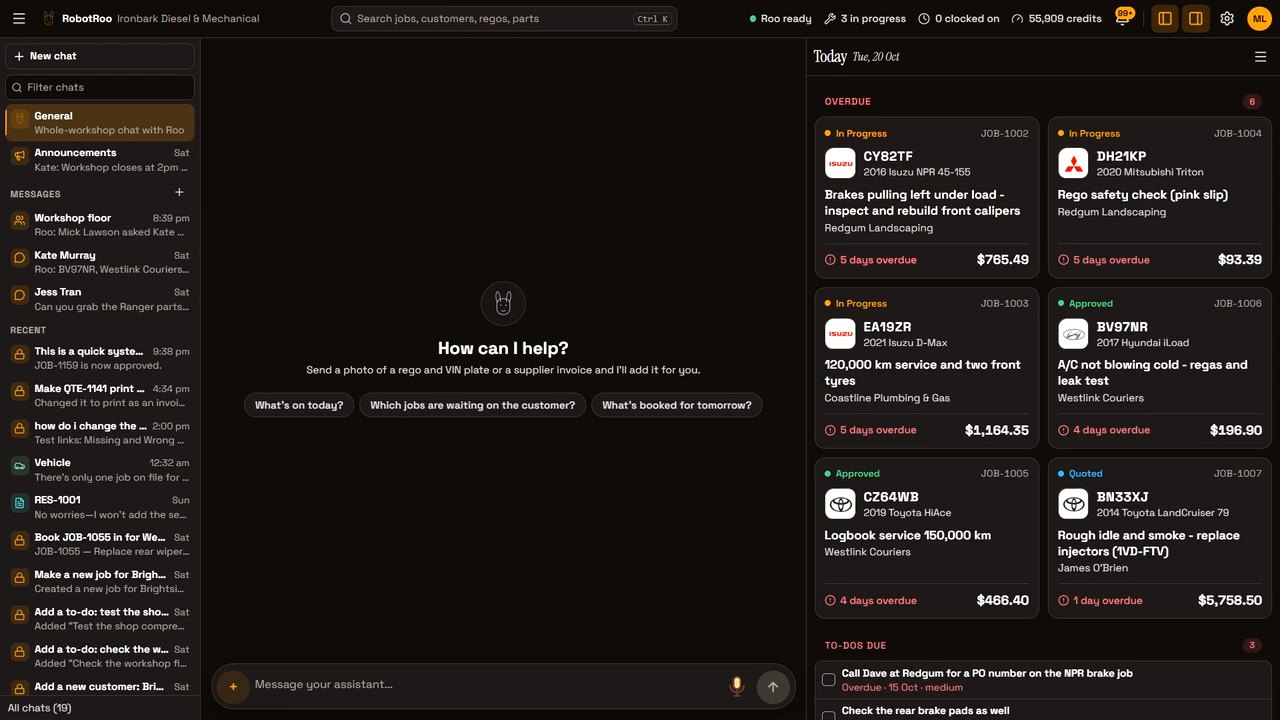
Chats as work sessions
Each chat is a place to work on one job. Colour it, pin it, rename it or archive it.
To-dos
To-dos for jobs, customers and vehicles. Ask me to add one, or tick them off yourself.
Links that take you there
Job numbers, regos and part codes in my replies are links, and each change I make links to its record, coloured by type:
JobVehicleCustomerPartQuoteBookingTo-do
Photos filed for you
Photos are named and filed on the right vehicle and job.
Invoices, quotes and job cards
Generate them, preview them and email them from the job.
Features at a glance
Roo
- Talk to Roo by text, voice message or photo
- Roo’s changes show in the chat; supported changes can be undone
- Roo remembers things you tell him, and forgets them when asked
- Roo answers how-to questions with a link to the right screen
Jobs
- Job Centre: jobs grouped by booking day, status, mechanic or customer
- Search by job number, customer or rego
- Job statuses, plus your own sub-statuses
- Mechanic notes, written by hand or by voice
- An activity log of each job’s changes, by people and by Roo
Parts and labour
- A catalogue of parts, labour and services, with stock tracking for the parts you keep on the shelf
- Cost, sell price and markup on every product
- Supplier invoices, by photo or PDF, become priced parts on the job
Quotes and invoices
- Print or email quotes, invoices and job cards as PDFs
- Invoice stories written from the mechanic’s notes, in your style
- An invoice check against the work before it goes out
- Payments, refunds and credit notes
- Your logo, colours and ABN on your documents, and your bank details on invoices
Customers and vehicles
- Customers and businesses with their vehicles and jobs
- Vehicles with rego, VIN, odometer and specs, added from photos
- Customer sign-up by QR code
- Photos and files filed on the right job, vehicle or customer
- Customer app (in active development): customers see their vehicles, quotes and invoices, accept quotes and message you
- In development: choose which quotes and invoices show in the customer app
- In development: Roo drafts replies to customer messages for you to edit and send
Bookings
- Calendar by day, week or month
- Book a job in, or ask Roo to
Team
- Clock on and off jobs, with timesheets and a CSV export
- Team messages, with Roo in them
- To-do lists
- Staff accounts with roles
Reports and accounting
- Reports on sales, money owed, jobs and mechanics
- GST summary for the BAS
- Xero: invoices, payments and credit notes
Your workshop
- Download all of the workshop’s data as one file
- Works on a computer or a phone
Full video
One vehicle in RobotRoo at a demo workshop, from a new customer’s handwritten form to the invoice and the team chat.
 Watch the full video