Who it’s forHeavy Vehicle & Diesel Workshops
Truck workshop management software
Keep truck servicing and heavy vehicle repair jobs organised, with each truck’s maintenance records, your technicians’ notes and the workshop paperwork in one place.
RobotRoo is designed and built by a former heavy vehicle workshop owner. Roo, its AI assistant, helps with data entry from your voice messages, photos and PDFs.
Each truck’s record
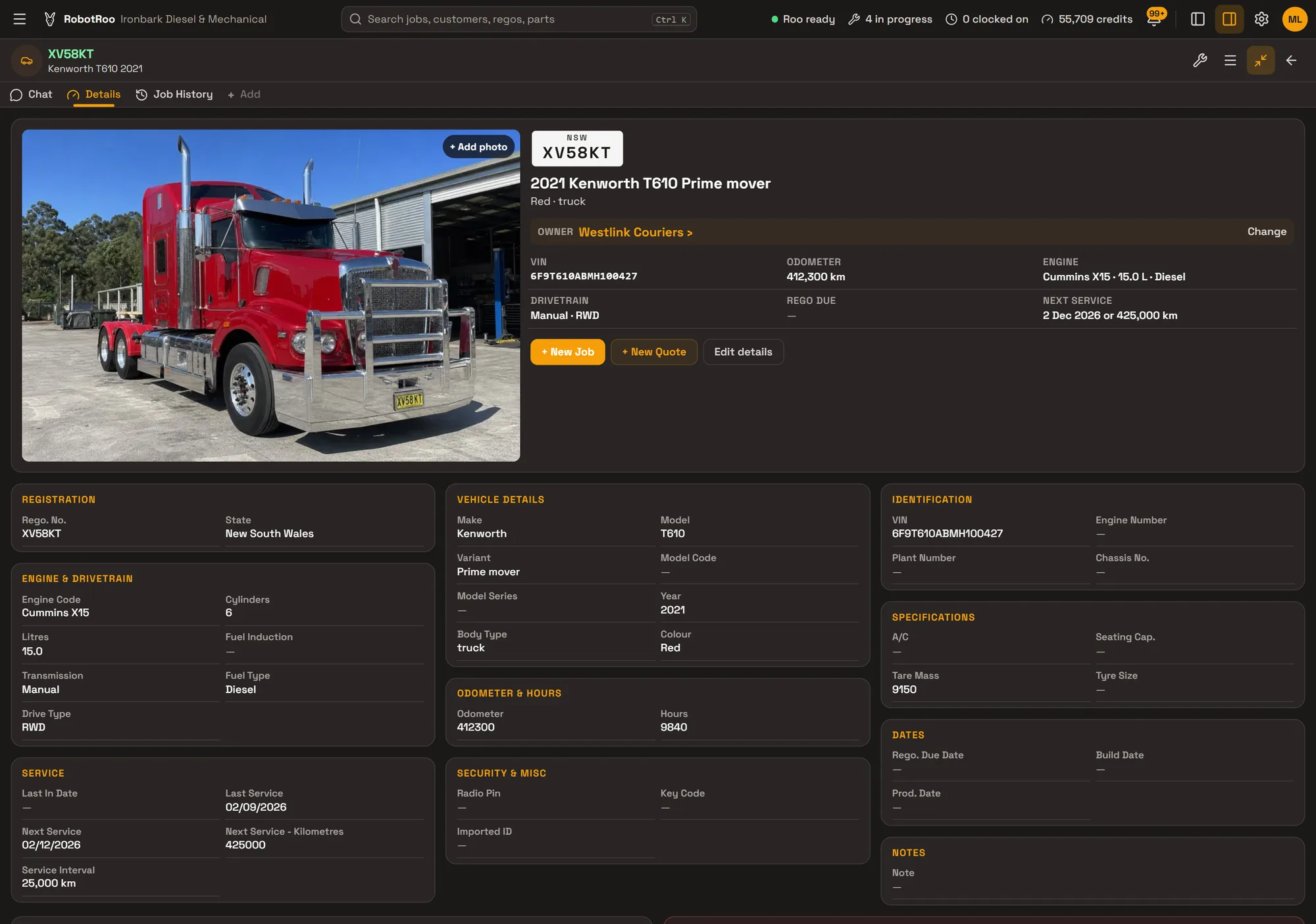
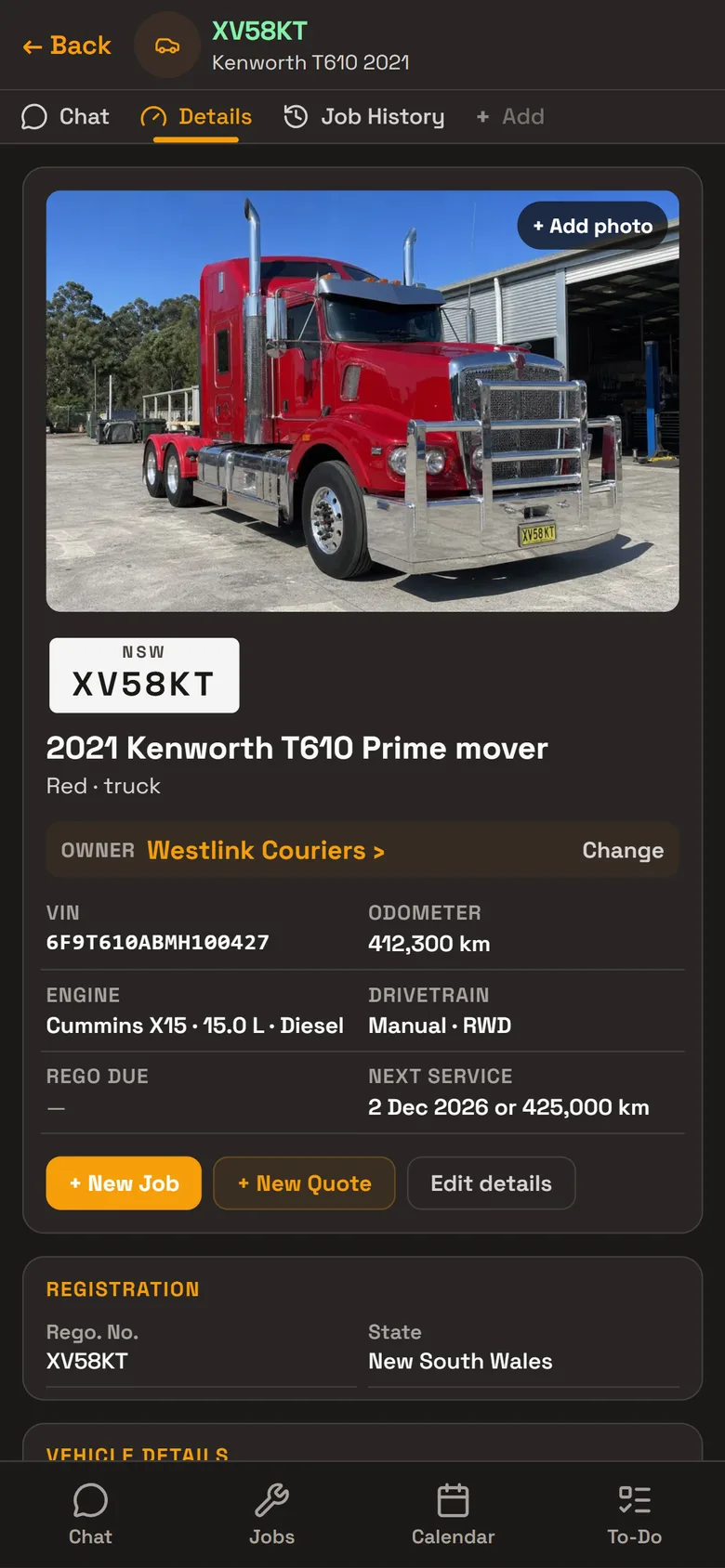
Every truck has its own record, with its photos, its owner and every job done on it. Open the truck and its history is there, or ask Roo what was done on it last.
- IdentificationRego, VIN, chassis number, engine number and plant number.
- Engine and drivetrainEngine code, litres, cylinders, fuel, gearbox and drive, with tare mass and tyre size.
- Odometer and engine hoursBoth readings are kept on the truck. Finishing a job updates the odometer.
- Next serviceThe service interval, last service and the next service by date or kilometres, shown at the top of the record.
- Job historyEvery job on the truck, with its work, status and total.
Fleet customers
Transport companies and other businesses are customers with a business name, trading name, ABN and billing address, and up to three contact people with their position, phone and email.
Keep each fleet’s trucks together under its customer. Give a customer their own labour rate and parts markup, and their jobs are priced with it.
- ContactsUp to three people per customer, so you call the right person about a truck.
- Service due soonFilter the vehicle list to the trucks with a service or rego due in the next 30 days.
- Their own pricingA customer’s labour rate and parts markup are used on their jobs.
Day to day
Every job from booking to invoice on one board, with its status, mechanic and due date.
Send Roo a photo or PDF of a supplier’s invoice and he adds the parts to the job, priced with your markup.
Roo writes the notes on the quote or invoice from your mechanics’ notes, and you email it as a PDF.
Day, week and month calendar, with the truck’s rego and the mechanic on every booking.
Mechanics clock on and off jobs, and timesheets show their time on jobs.
Invoices, payments and credit notes go to your Xero account.
Ask Roo
Talk to me like you’d talk to your leading hand. Send me a voice message from the workshop floor, a photo of the parts invoice or the truck’s VIN plate, and I’ll put it where it belongs.
Things to ask
- Add this truck for Westlink Couriers (with photos of the truck, VIN plate and odometer)
- Here’s the parts invoice for JOB-1027 (with a photo or PDF)
- What have we done on XV58KT?
- Write the invoice notes for JOB-1027 from the mechanic’s notes
- Which jobs are overdue?
Questions
Can RobotRoo record engine hours?
Yes. Each vehicle has an hours reading as well as its odometer.
Can I see which trucks are due for a service?
Yes. The next service date and kilometres show on each truck’s record, and the vehicle list can be filtered to those due in the next 30 days.
Does it handle fleet customers?
Yes. A business customer has its trucks, up to three contact people, and its own labour rate and parts markup.
Do my mechanics have to type?
No. They can send Roo a voice message or a photo, and Roo helps with the data entry.
Can I bring my data across?
Tell us what software you use when you register interest. We’ll assess how to bring your data across.