FeaturesRoo, the AI assistant
Roo, the AI assistant
Ask Roo in plain words, by text, voice message, photo or PDF, and he handles supported tasks in RobotRoo.
His changes appear in the chat, so you can see what he did. Supported changes can be undone.
What he does
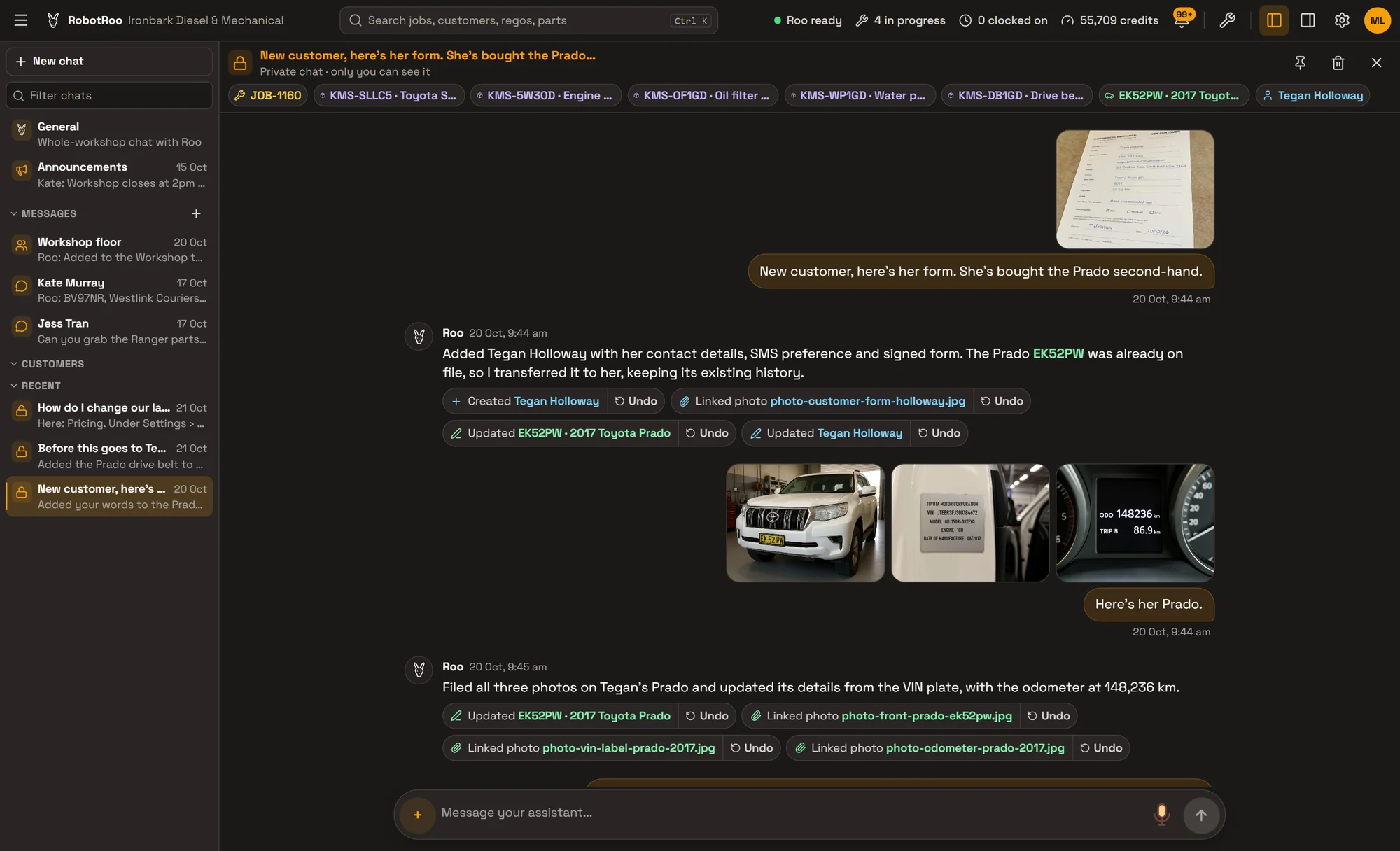
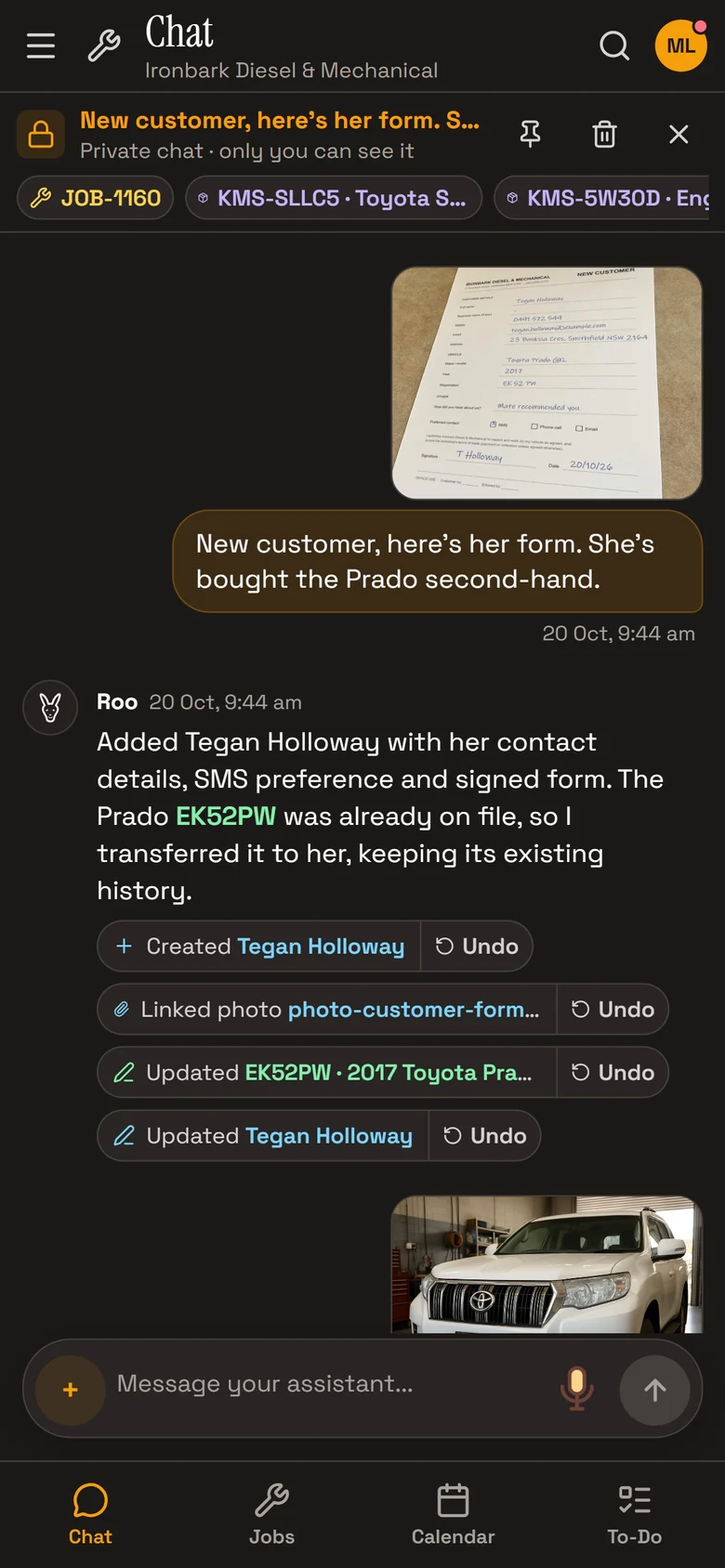
Photos and PDFs into records
Send a photo of a form, a VIN plate, an odometer or a supplier invoice, and he reads it into the right customer, vehicle or job.
Voice messages
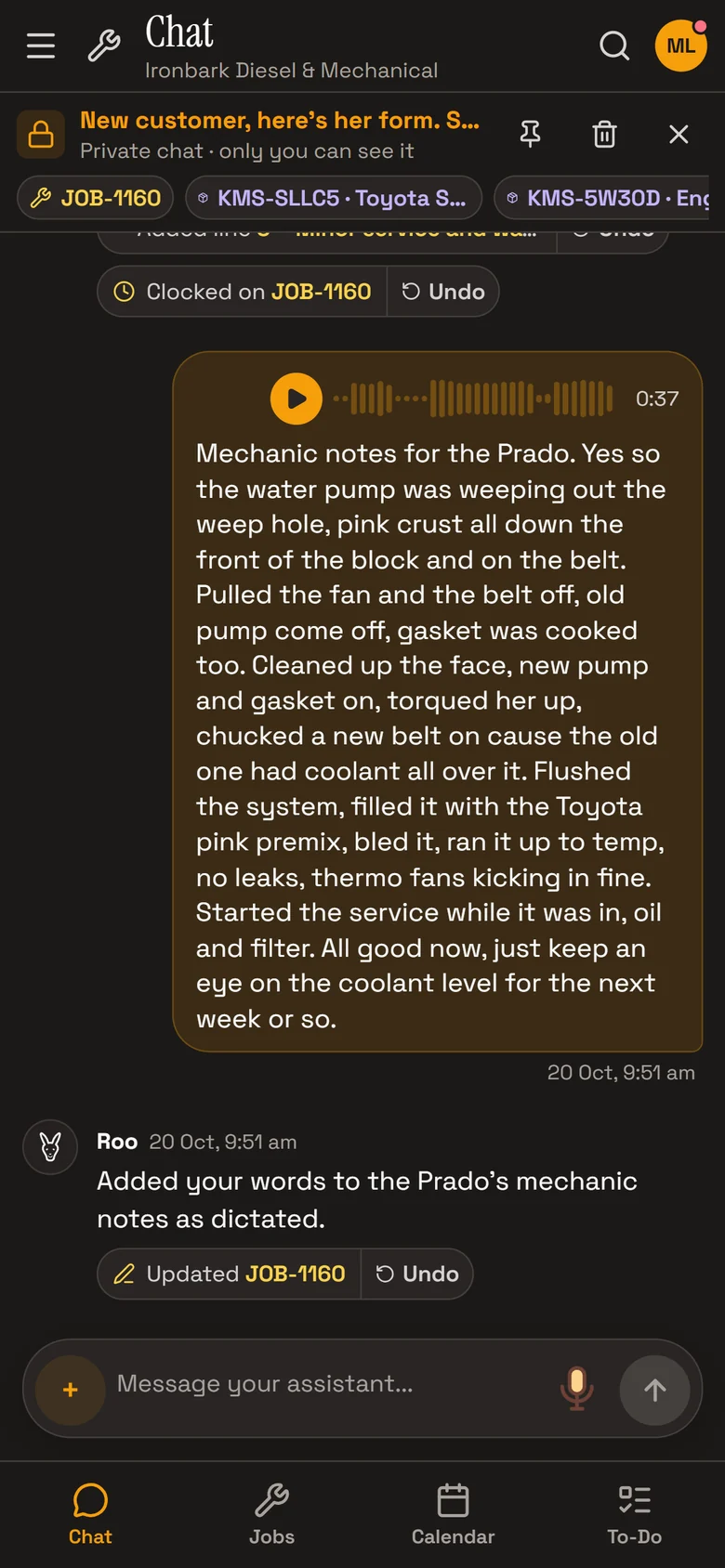
Talk instead of typing. He reads the message as text, and the recording stays with it.
He does the work
Customers, vehicles, jobs, bookings, parts, invoices, to-dos and clocking: he makes the change in RobotRoo.
Undo supported changes
Supported changes show Undo in the chat, which puts the record back as it was.
Talk, and he writes it down
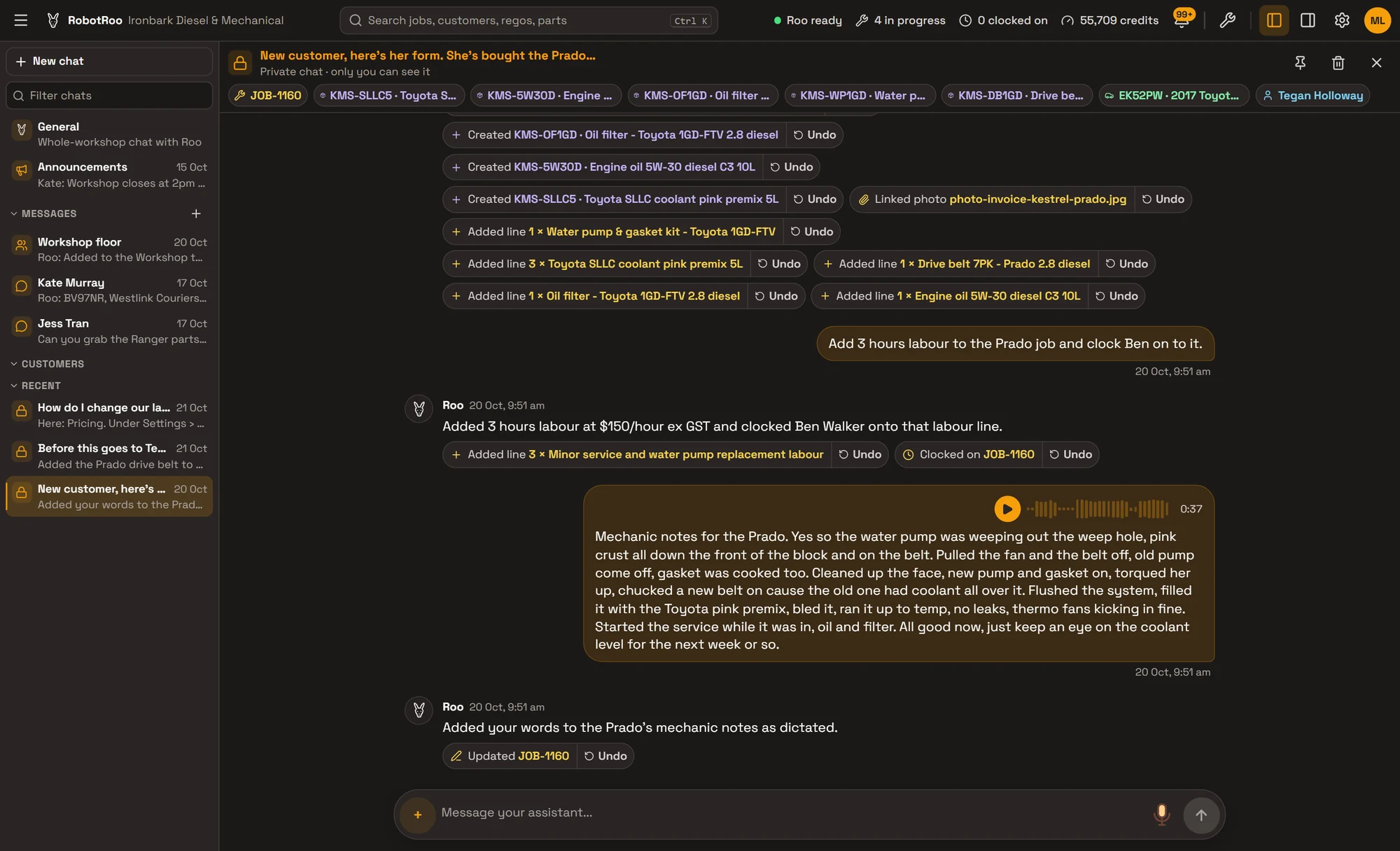
Record a voice message on the job and Roo reads it as text. Ask him to, and he puts it in the job’s mechanic notes in your words.
In the same chat he added the labour line and clocked Ben on to it, each with its own Undo.
What he can do
Roo works across RobotRoo. Ask him to do any of these.
Jobs
- Find and create jobs
- Add and change lines, notes, statuses, sub-statuses and dates
- Write the invoice story from the mechanic’s notes
Customers and vehicles
- Add and update customers and vehicles
- Move a vehicle to a new owner
- File photos on the right customer, vehicle or job
Bookings and to-dos
- Book, move and cancel jobs on the calendar
- Add appointments, deliveries and leave
- Add, find and tick off to-dos
Quotes, invoices and parts
- Finalise and invoice a job, record payments
- Email a quote or invoice
- Find, add and update products; supplier invoices into priced parts
Time and reports
- Clock people on and off, and read timesheets
- Run reports, and email them on a schedule
- Start repair research on a job
Your workshop
- Remember what you tell him, and forget it when asked
- Update pricing and business details
- Answer how-to questions with a link to the right screen
Safe by design
- Your permissions, not more.Roo can only do what the person asking is allowed to do. A mechanic’s Roo works in the mechanic’s own jobs.
- He asks before anything final.Deleting something, or anything that can’t be undone, waits for your OK.
- Undo is one tap.It puts the record back as it was, unless someone has changed it since.
- We only use OpenAI and Anthropic models.Both have strict data policies.
Ask Roo
Ask me about a job, a vehicle’s history or the calendar, or tell me what to change. Send photos, PDFs or a voice message.
Things to ask
- When did we last replace the coolant on EK52PW?
- Book the Prado in for Tuesday, minor service and water pump.
- Add 3 hours labour to JOB-1160 and clock Ben on to it.
- How do I change our labour rate?
More details
For anyone who wants to know more.
Talking to Roo
- Text, voice messages, photos, and PDFs of up to 5 pages
- Voice messages are read as text, and the recording is kept
- Works on a computer or a phone
Where he is
- The Chat screen, with your own private chats
- Each job’s Chat tab
- Team messages, when someone types @Roo
His changes
- Shown in the chat as “What changed”, with Undo for supported changes
- Undo by the person who asked, or someone who manages settings
- Deleting and final actions wait for your OK
Memory
- Things you tell him to remember, for the whole workshop
- Owners and service managers can make him forget
AI usage
- Roo’s replies use your plan’s AI usage, included every month
- Settings › Assistant shows how much a chat shows while he works
Questions
What if Roo gets something wrong?
Supported changes have Undo. It puts the record back as it was, unless someone has changed it since.
Can a mechanic use Roo?
Yes, in the jobs they’re assigned to. Roo only does what the person asking is allowed to do.
Does Roo cost extra?
Roo uses your plan’s AI usage, and every plan includes usage each month. If it runs out, you can add extra usage. See AI usage on the pricing page.
Which AI does Roo use?
OpenAI and Anthropic models. Both have strict data policies.
See the other features
Customers, vehicles, the Job Centre, quotes and invoices, bookings, research and more.