Who it’s forAgricultural Equipment Service Workshops
Farm machinery repair software
Make tractor repairs and farm equipment maintenance easier to manage, with organised work records, engine hours and service histories.
Each machine has its own record with its serial number, plant number, engine hours and service interval, under the farm it belongs to.
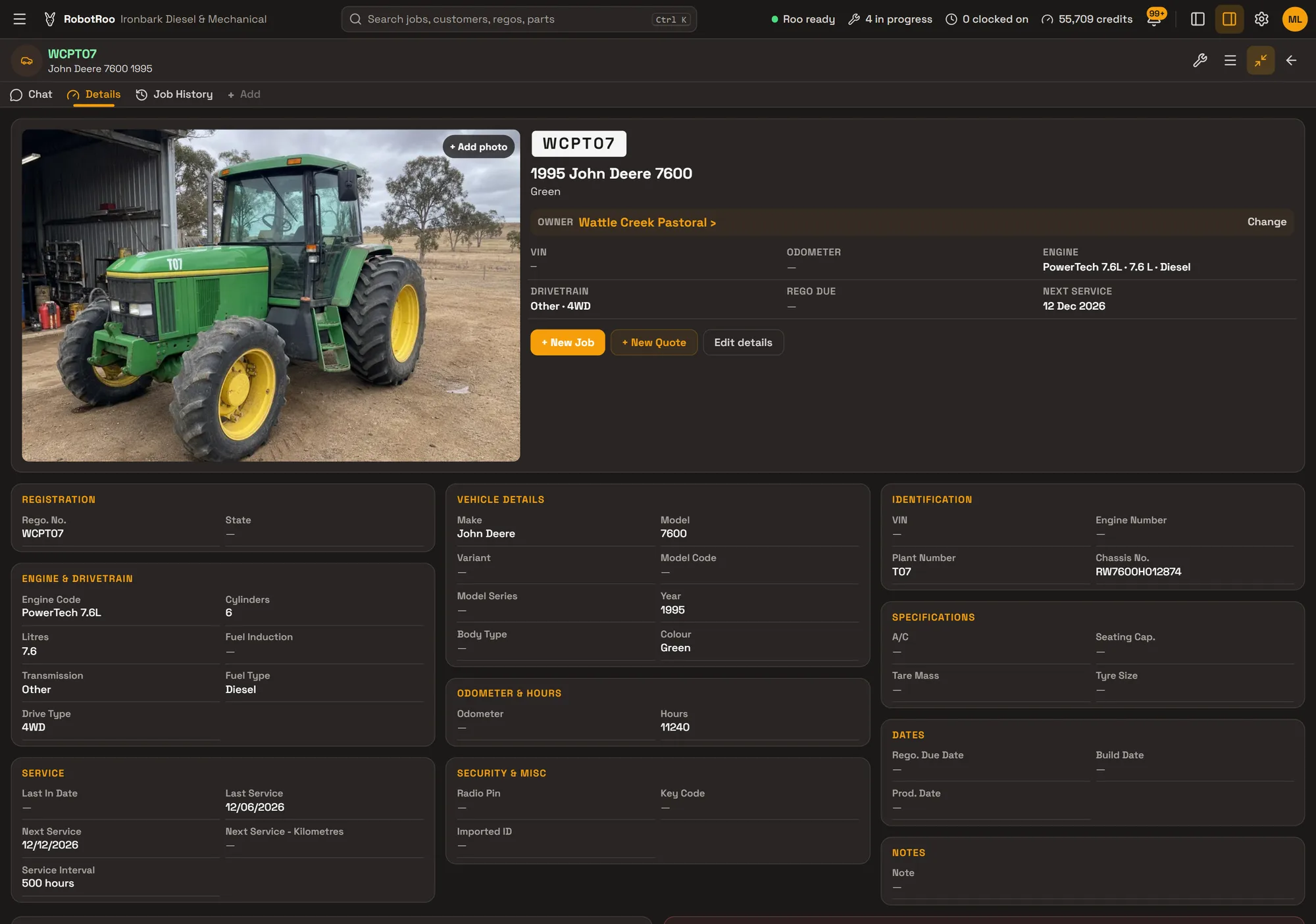
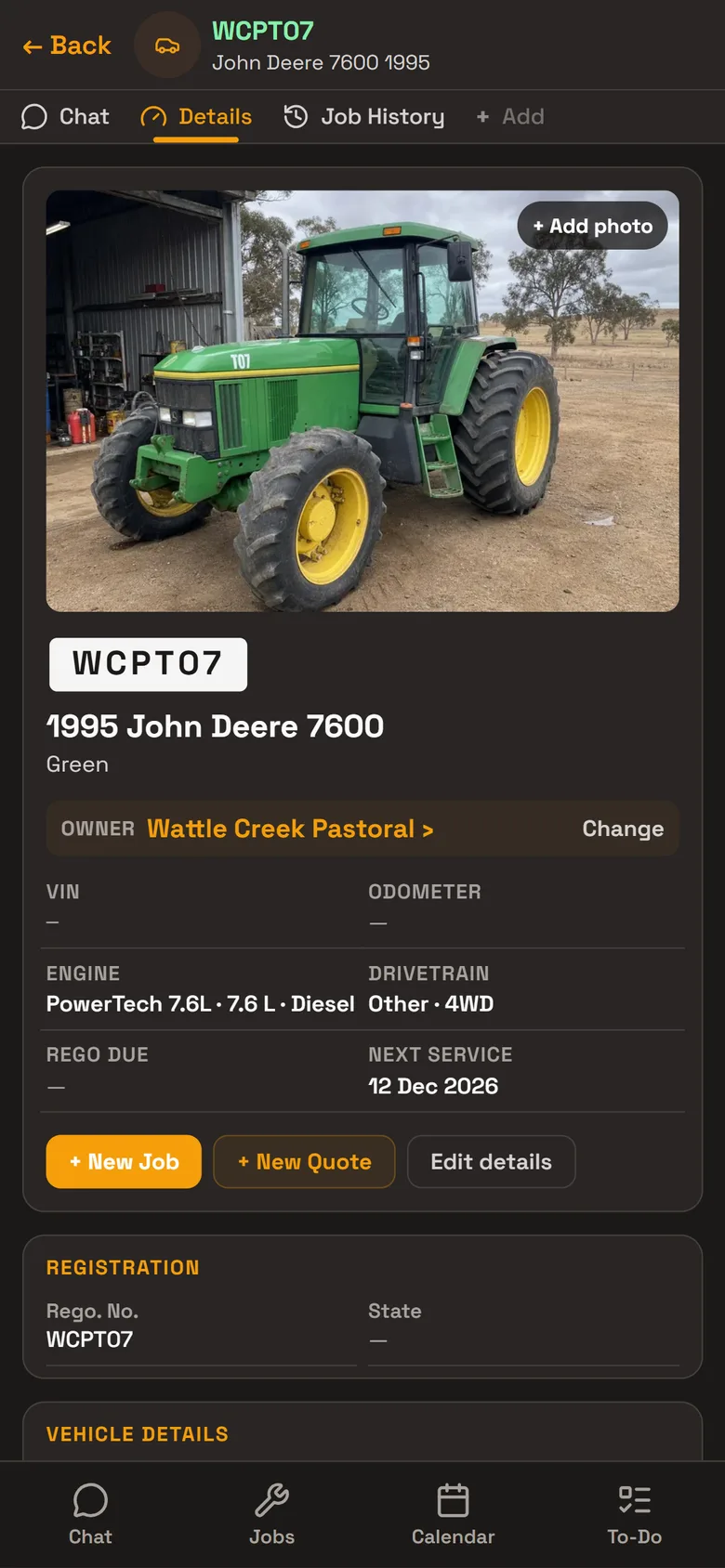
Each machine’s record
Tractors, harvesters and other machines are kept as vehicles, each with its own record, photos and every job done on it. A machine that isn’t registered still needs something in Rego. No., so use the farm’s own number for it, as the demo tractor does.
- Serial and plant numbersChassis or serial number, engine number and plant number.
- Engine hoursEach machine has an hours reading, kept up to date when it comes in.
- Service intervalWrite it the way you service the machine, like 500 hours. The next service date shows at the top of the record.
- Engine and drivetrainEngine code, litres, cylinders, fuel, gearbox and drive.
- Job historyEvery job on the machine, with its work, status and total.
Farms as customers
A farm is a business customer with its name, ABN and billing address, and up to three contact people with their position, phone and email. All its machines sit under it.
Give a farm its own labour rate and parts markup, and its jobs are priced with it.
- ContactsThe owner, the farm manager and the office, each with their phone and email.
- Their own pricingA customer’s labour rate and parts markup are used on their jobs.
Day to day
Every job from booking to invoice on one board, with its status, mechanic and due date.
Send Roo a photo or PDF of a supplier’s invoice and he adds the parts to the job, priced with your markup.
Roo writes the notes on the quote or invoice from your mechanics’ notes, and you email it as a PDF.
Mechanics clock on and off jobs, and timesheets show their time on jobs.
Day, week and month calendar, with the rego, customer and mechanic on every booking.
Invoices, payments and credit notes go to your Xero account.
Ask Roo
Tell me about a machine and I’ll add it to the farm’s account. Ask me what was done on it last, or send me the parts invoice for the job.
Things to ask
- Add a John Deere 7600 for Wattle Creek Pastoral, number WCPT07
- What have we done on WCPT07?
- Set WCPT07’s next service for 12 December
- Here’s the parts invoice for this job (with a photo or PDF)
- Which vehicles does Wattle Creek Pastoral have?
Questions
Does it track engine hours?
Yes. Each machine has an hours reading on its record, and its service interval can be written in hours, like 500 hours. The next service itself is set by date.
Can I add machines that aren’t registered?
Yes. Every record needs something in Rego. No., so use your own number for the machine. The body type list is for road vehicles (Sedan to Bus, and Other), so choose Other or leave it empty.
Can a farm have more than one contact?
Yes. Up to three contact people, each with their position, phone and email.
Do my mechanics have to type?
No. They can send Roo a voice message or a photo, and Roo helps with the data entry.
Can I bring my data across?
Tell us what software you use when you register interest. We’ll assess how to bring your data across.
Who else RobotRoo is for
Also for heavy vehicle and diesel workshops, motorbike and scooter service centres, independent garages and car service centres, marine servicing and repair, auto electricians, caravan and motorhome service centres, mobile mechanics, 4x4 workshops and dealership service departments.