Who it’s forVehicle Dealership Service Departments
Dealership service department software
Keep dealership servicing and repair jobs organised, with streamlined workflows, accessible vehicle histories and clear invoice notes.
Bookings, jobs, technicians’ time, invoices and reports in one place, with Roo, the AI assistant, helping with the data entry.
From booking to invoice
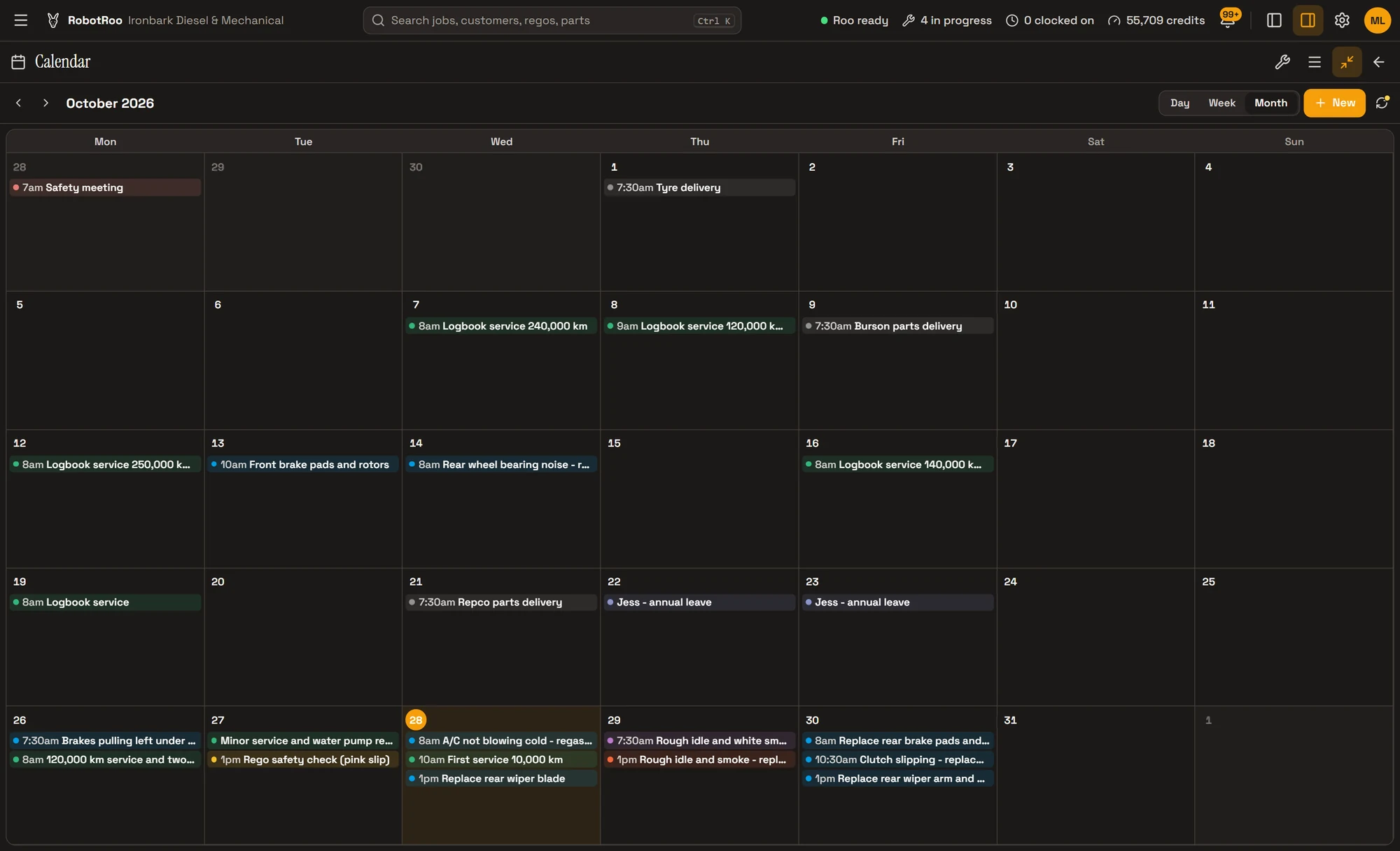
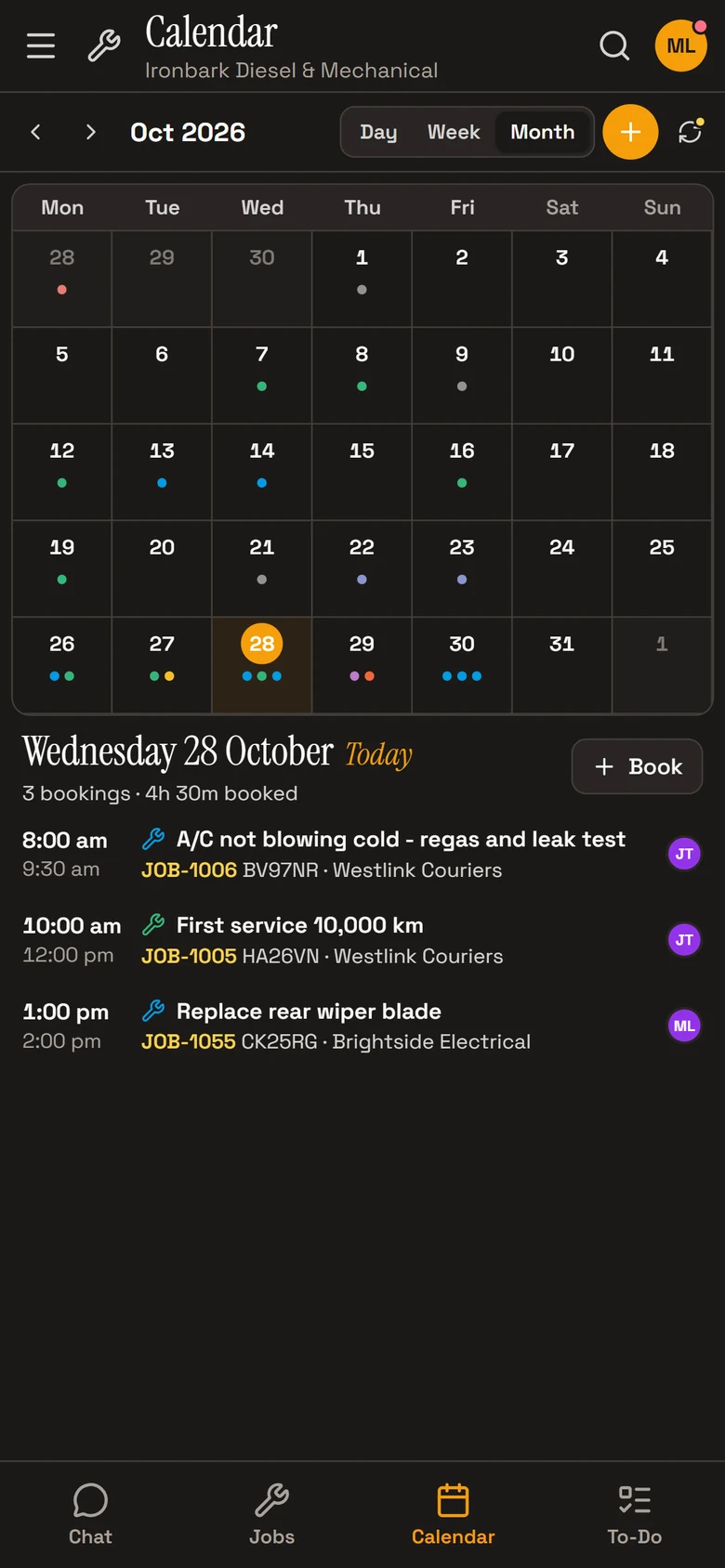
Every vehicle comes in on the calendar, goes through the Job Centre with its status and sub-status, and leaves with its invoice emailed and sent to Xero.
- BookingsDay, week and month views, with the rego, customer and technician on each booking.
- Job CentreEvery job as a card with its status, sub-status, booking and due dates and total.
- InvoicesRoo writes the invoice notes from the technician’s notes, and the invoice is emailed as a PDF.
- Vehicle historyEvery past job on each vehicle, and Roo answers from them with the job numbers.
Technicians’ time
Technicians clock on and off each job. Timesheets show each technician’s time on jobs by day, and reports show how the workshop is going.
- ClockingClock on from the job, with an automatic stop after a set number of hours.
- ReportsSales, money owed and productivity, emailed on a schedule if you like.
- Team messagesAnnouncements, direct messages and groups for the service team.
Day to day
People and businesses with their vehicles, contacts, jobs and pricing.
Your parts catalogue with stock, cost and sell prices and markup.
Roo writes the notes on the quote or invoice from your mechanics’ notes, and you email it as a PDF.
Roo searches the web for recalls, known issues, procedures and labour times for the job, with a link to every source.
Sales, money owed and productivity in one place.
Invoices, payments and credit notes go to your Xero account.
Ask Roo
Ask me what anyone’s working on, what’s booked in or who owes you money, and I’ll tell you straight away.
Things to ask
- What’s Ben working on?
- Which jobs are overdue?
- What’s booked in tomorrow?
- Who owes us money?
- Email me the sales summary every Monday morning
Questions
Does it connect to our dealer management system?
No. RobotRoo runs on its own, and invoices, payments and credit notes go to Xero.
Can we set permissions by role?
Yes. Permissions are set by role, for example who can view, add, edit or delete customers.
Can we see each technician’s time on jobs?
Yes. Timesheets show each technician’s time on jobs by day, with every clock entry, and a CSV export.
Do technicians have to type?
No. They can send Roo a voice message or a photo, and Roo helps with the data entry.
Can I bring my data across?
Tell us what software you use when you register interest. We’ll assess how to bring your data across.
Who else RobotRoo is for
Also for heavy vehicle and diesel workshops, motorbike and scooter service centres, independent garages and car service centres, marine servicing and repair, auto electricians, caravan and motorhome service centres, farm machinery workshops, mobile mechanics and 4x4 workshops.