Who it’s forMobile Mechanics
Mobile mechanic software
Run your jobs from your phone between call-outs: bookings, customers, photos, quotes, invoices and payments, wherever the work is.
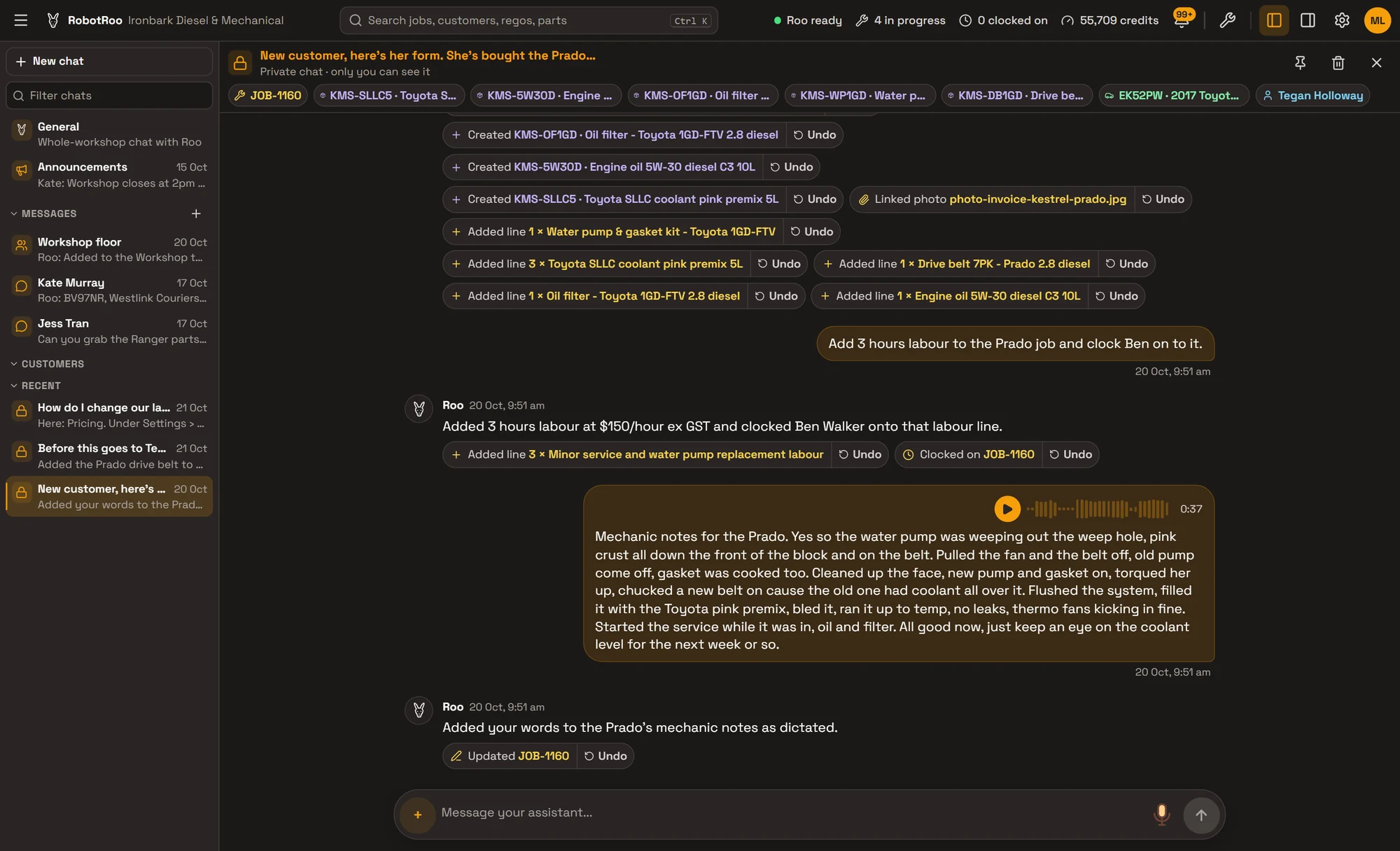
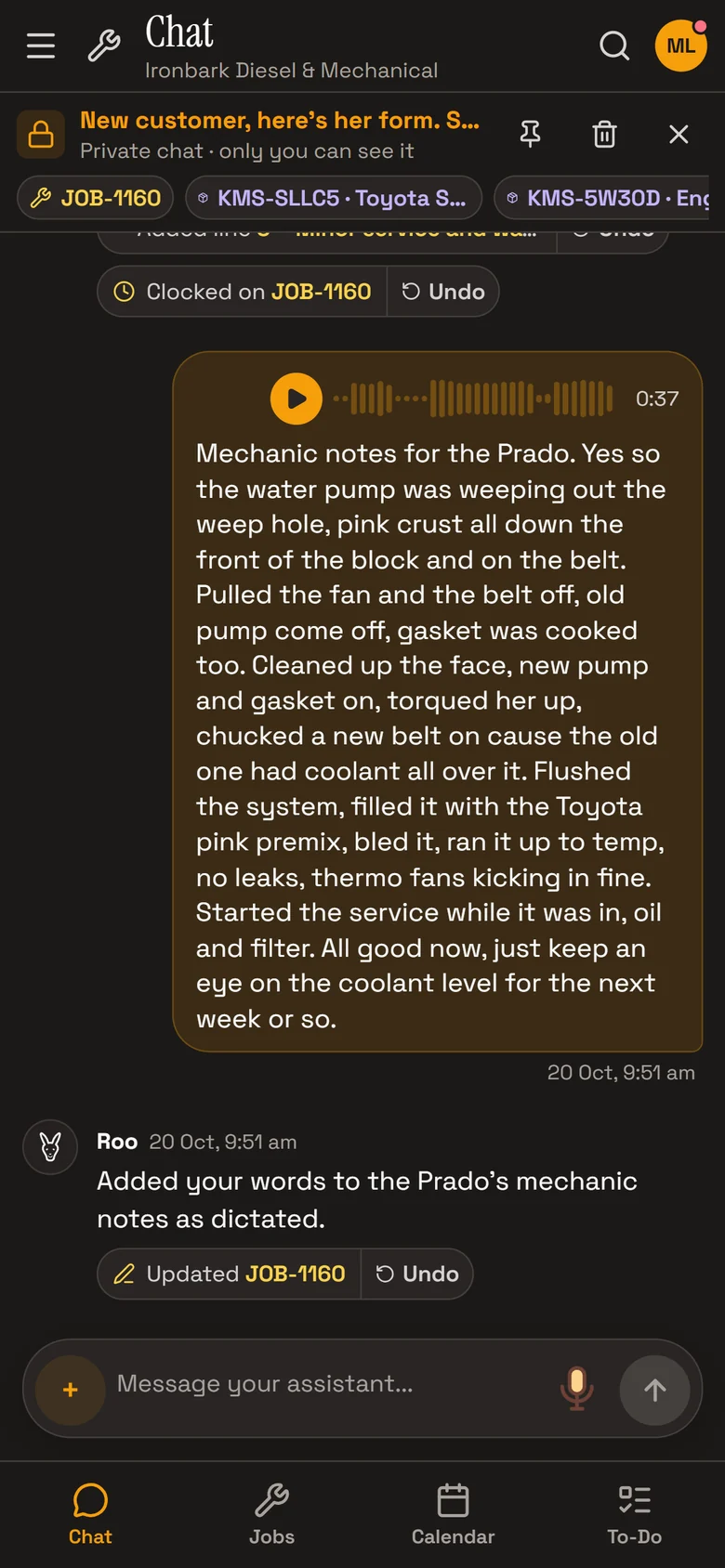
Talk to Roo, the AI assistant, from the driver’s seat. He adds the work to the job, writes the invoice notes, emails the invoice and records the payment, and every change he makes shows in the chat.
From your phone
RobotRoo works on your phone as well as on a computer. Your day’s bookings, the customer’s details and the car’s history are there when you pull up.
- Your dayThe day’s bookings with their times and the work. Hold a booking and tap another day to move it.
- The customerCall, text or email them from the job. Their address is on their record.
- The car’s historyEvery past job on the car, and Roo answers from them with the job numbers.
- PhotosTake photos from the job, or send them to Roo, and they’re filed on the job.
Paperwork from the driver’s seat
Send Roo a voice message after the job: what you did, the parts you used and how long it took. He adds it to the job, and writes the invoice notes from your notes.
Then ask him to email the invoice, before you’ve left the driveway.
- Voice messagesTranscribed with workshop words, and the recording is kept with the message.
- Parts receiptsSend Roo a photo or PDF of a supplier’s invoice and he adds the parts to the job, priced with your markup.
- Quotes and invoicesEmailed as PDFs from your phone, with Roo’s notes on them.
Getting paid
When the job is invoiced, Take payment records cash, card, EFTPOS or a bank transfer against the invoice there and then. Or tell Roo it’s been paid and he records it.
Emailed invoices can show your bank details for a transfer, and invoices and payments go to Xero.
- Record the paymentCash, card, EFTPOS, bank transfer, cheque or other, against the invoice.
- XeroInvoices, payments and credit notes go to your Xero account.
Day to day
Day, week and month calendar, with the rego, customer and mechanic on every booking.
New customers fill in a form from your QR code on their own phone and sign your terms, and you approve them.
Mechanics clock on and off jobs, and timesheets show their time on jobs.
Your parts catalogue with stock, cost and sell prices and markup.
Roo searches the web for recalls, known issues, procedures and labour times for the job, with a link to every source.
Sales and money owed, emailed to you on a schedule if you like.
Ask Roo
Tell me about the job on the way to the next one. I’ll add it to the job, write it up, email the invoice and record the payment.
Things to ask
- What’s on tomorrow?
- Book CR27HK in with me tomorrow at 9
- Add 1.5 hours labour to this job
- Email Tom his invoice
- Tom paid $420 by card for this invoice
Questions
Is there a plan for one person?
Yes. The Launch plan is for one person running their own business. See pricing.
Can I take card payments in RobotRoo?
No. Take the payment on your own card reader, then record it against the invoice. RobotRoo records cash, card, EFTPOS, bank transfer and cheque payments.
Does it give directions to the job?
No. The customer’s address is on their record and a booking can hold a location, but RobotRoo doesn’t link to maps.
Does it work without signal?
Clocking on and off does, and catches up when you’re back in range. Roo and the rest of RobotRoo need a connection.
Can I bring my data across?
Tell us what software you use when you register interest. We’ll assess how to bring your data across.
Who else RobotRoo is for
Also for heavy vehicle and diesel workshops, motorbike and scooter service centres, independent garages and car service centres, marine servicing and repair, auto electricians, caravan and motorhome service centres, farm machinery workshops, 4x4 workshops and dealership service departments.