FeaturesProductivity tracking
Productivity tracking
Mechanics clock on to the job they’re working on, and RobotRoo keeps the hours: weekly timesheets, efficiency on every job, and a CSV export.
One tap on a job’s labour line clocks on. Clocking on to another job switches over.
What it does
Clock on to the job
Each labour line has a Clock button. Clocking on to another line switches over in one step.
Timesheets
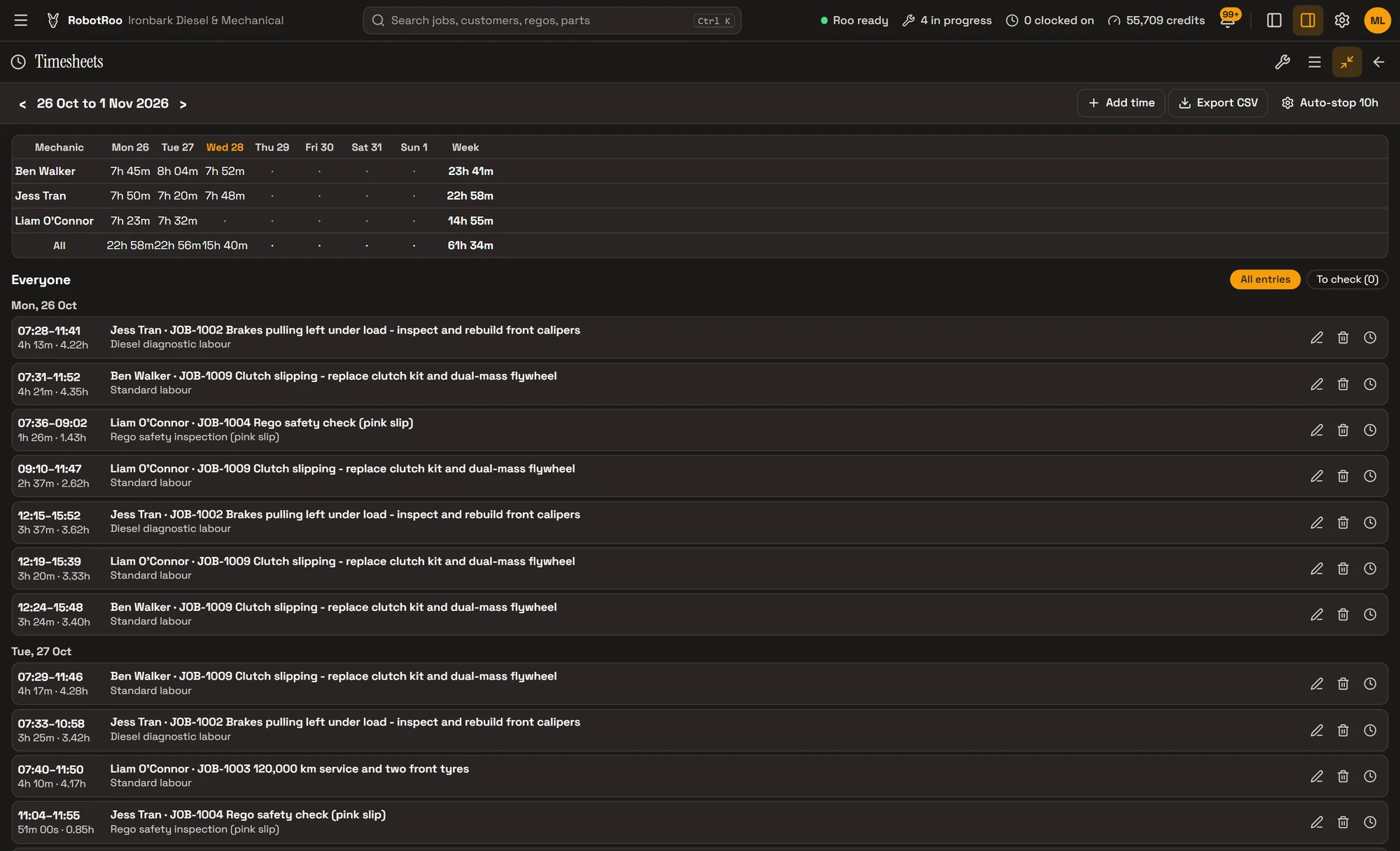
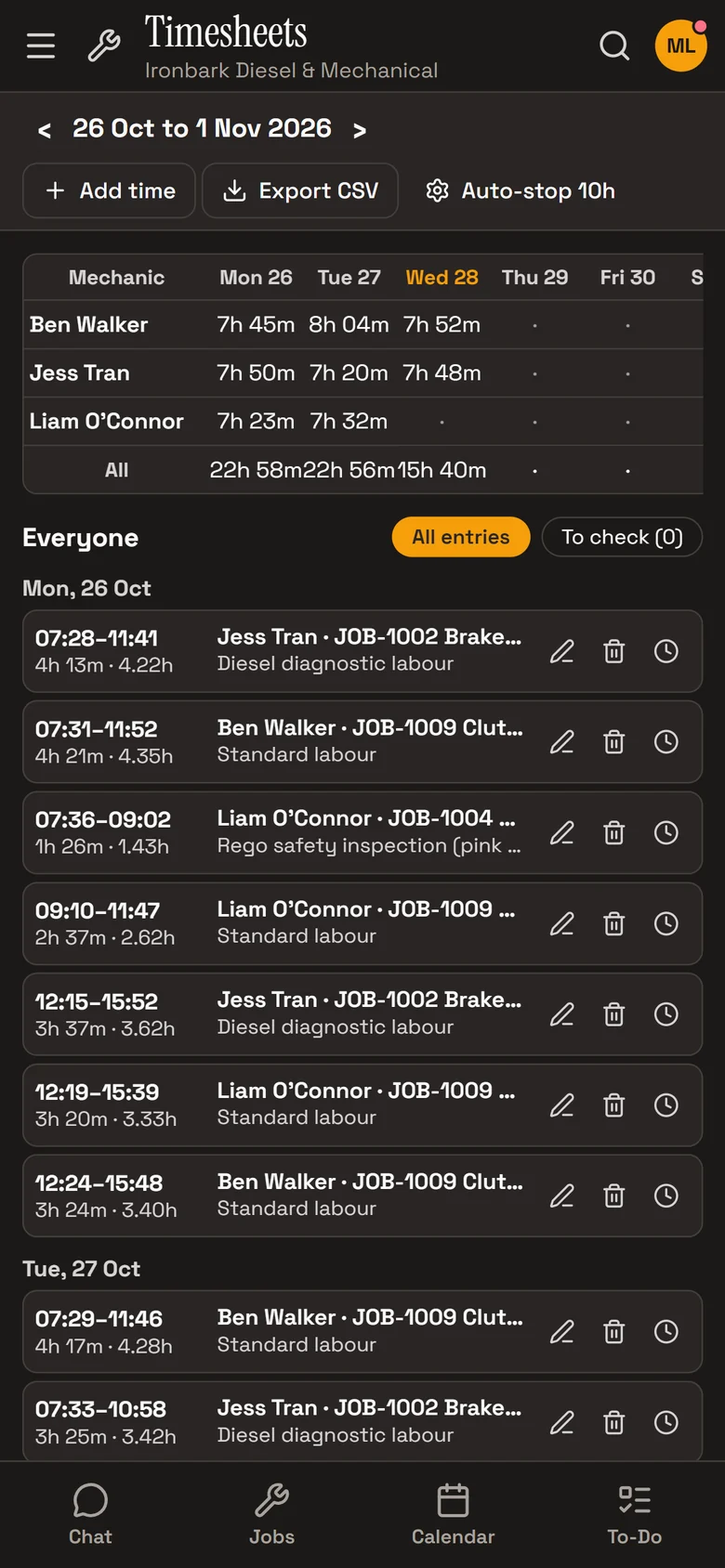
Hours by mechanic and day for the week, with every entry underneath and a CSV export.
Efficiency
Hours allocated against hours clocked, on each line and job and for each mechanic. For managers only.
Who’s on the clock
The top bar shows how many are clocked on. Managers clock people on and off from Mechanics.
Clock on to the labour line
Every labour line on a job has a Clock button. Tap it to clock on, and the line shows a running timer.
A job can’t be finished or invoiced while someone is still clocked on to it. RobotRoo asks whether to clock them off first.

How it helps
- Know where the hours went.Every hour is clocked against a job and its work.
- The week in one export.Download the week’s timesheet as a CSV.
- See how each mechanic is going.The Mechanic productivity report shows hours clocked and billed, efficiency and labour sold.
- No clock left running overnight.A clock stops on its own after a time you set, and the entry is marked for checking.
Ask Roo
Ask me who’s clocked on, clock someone on or off, or show a timesheet. I can add or fix an entry too.
Things to ask
- Who’s clocked on?
- Clock Ben on to JOB-1009.
- Show me Jess’s timesheet for this week.
- Add 2 hours for Liam on JOB-1003 yesterday.
More details
For anyone who wants to know more.
Clocking
- On a labour line of an open job
- One line at a time; several people can be on the same line
- Works without signal and catches up when it’s back
Managers
- Clock mechanics on and off from Mechanics
- Add, correct and remove time, with each entry’s history
- Mark entries checked; auto-stop after 1 to 24 hours (10 to start)
Timesheets
- The week by mechanic and day, with totals
- All entries, or only the ones to check
- Mechanics see their own timesheet
Export
- CSV with mechanic, date, job, work, clock on and off, hours and notes
Reports
- Mechanic productivity: hours clocked and billed, efficiency, labour sold
- Timesheets by mechanic and day
- PDF or CSV
Questions
Is it a shift clock?
No. Time is clocked to jobs, so there’s no separate start-of-day clock or breaks.
Can mechanics see their efficiency?
No. Efficiency is for owners and service managers. Mechanics see their own timesheet.
What if someone forgets to clock off?
The clock stops on its own after the time you set, 10 hours to start with, and the entry is marked for checking.
See the other features
Customers, vehicles, the Job Centre, quotes and invoices, bookings, reports and more.