
FeaturesInvoice notes
Invoice notes
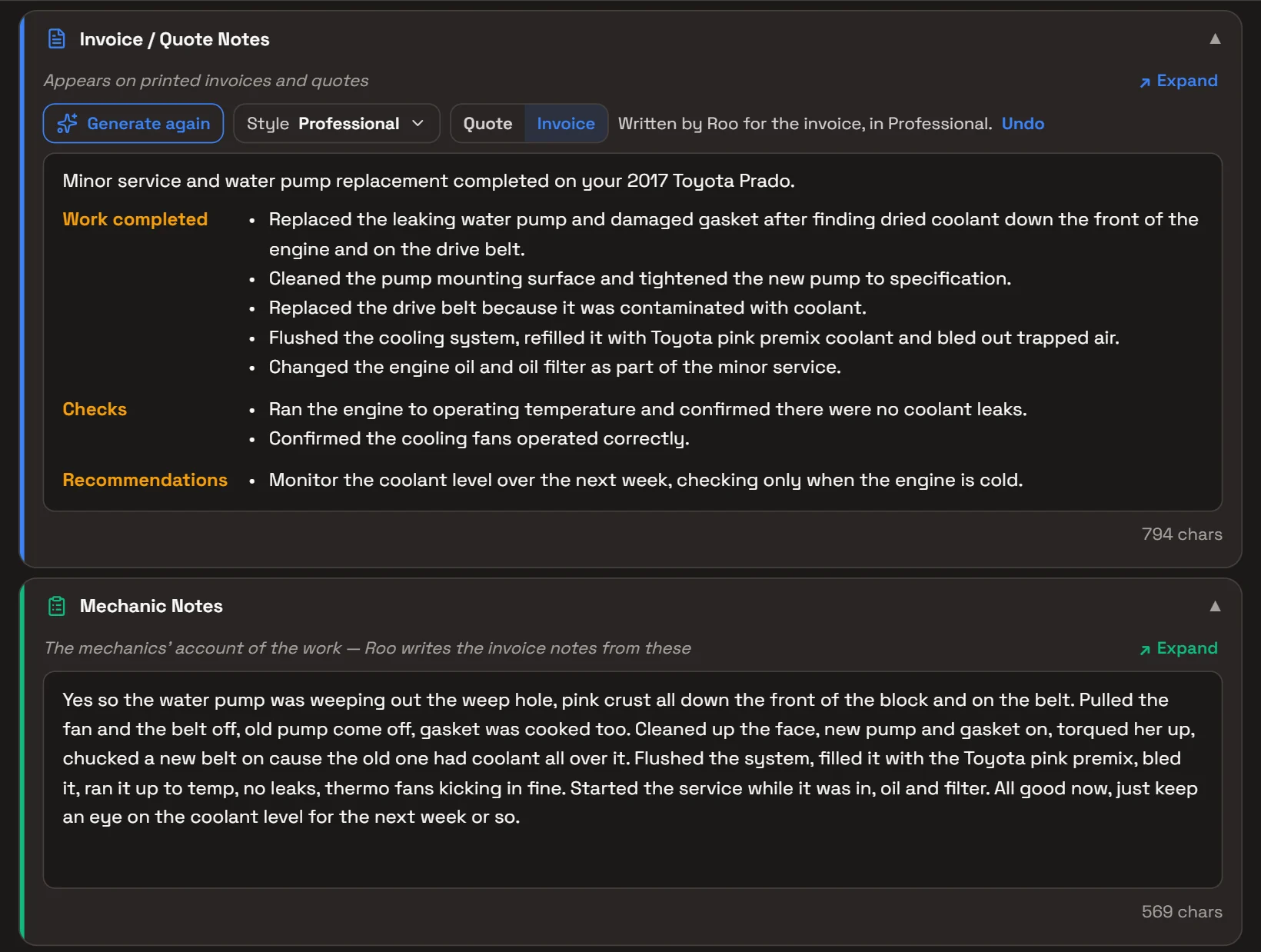
Your mechanics write down what they found and did. Roo turns it into the notes on the customer’s invoice or quote, in your workshop’s style.
One tap on Generate story. Roo writes only from what’s on the job, never adds prices, and you can change anything before it goes out.
What it does
Mechanic notes
Mechanics type what they found and did in the job’s Mechanic Notes, or send Roo a voice message and he adds their words as they said them.
Generate story
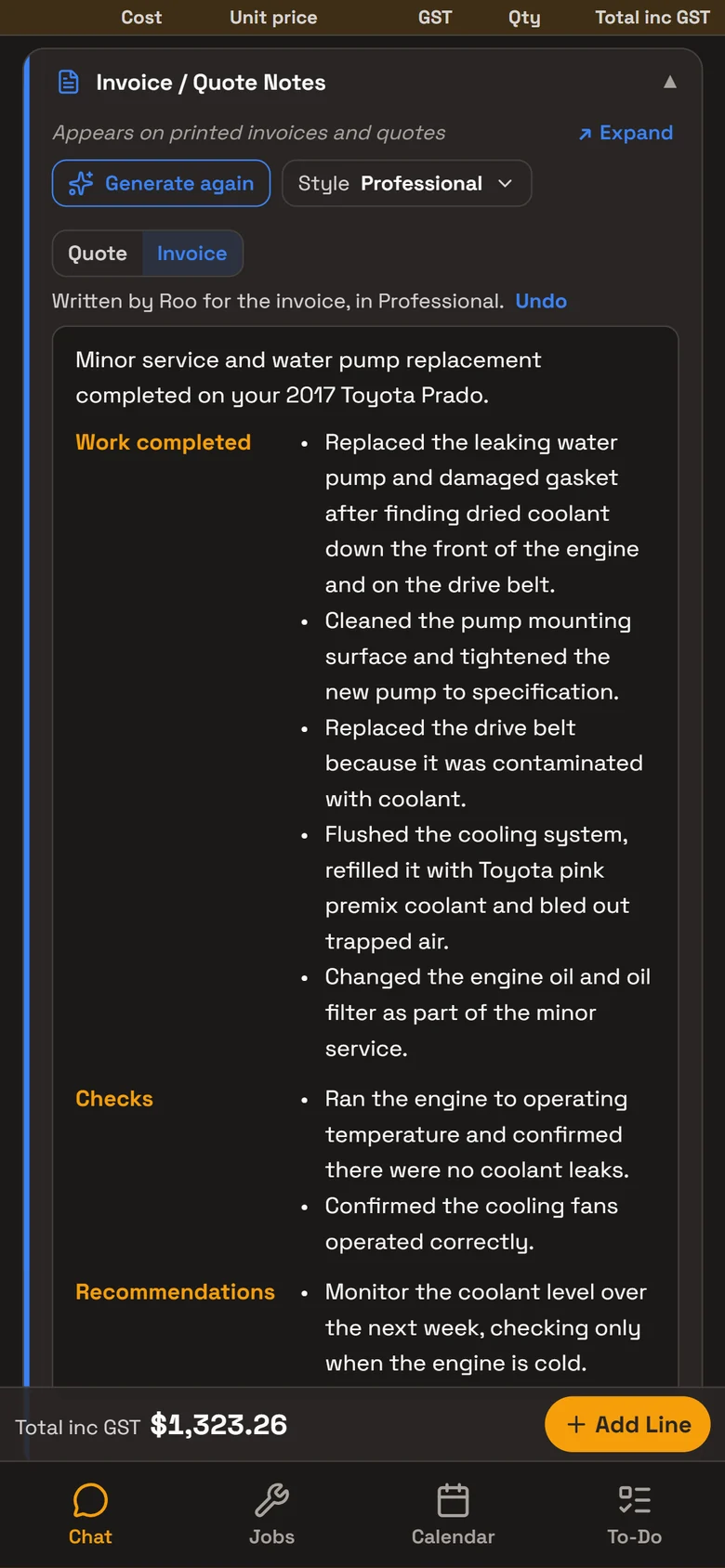
Roo writes the Invoice / Quote Notes from the mechanic notes, the job’s parts and labour, the vehicle, its odometer and the next service due.
Quote or invoice
On a quote he writes the work proposed, with anything urgent or safety-related first. On an invoice, what was found, done and checked, and when to come back.
On the printed invoice
The notes print under Notes on the invoice and the quote, with each heading in its own column and the work as dot points.
Your writing style
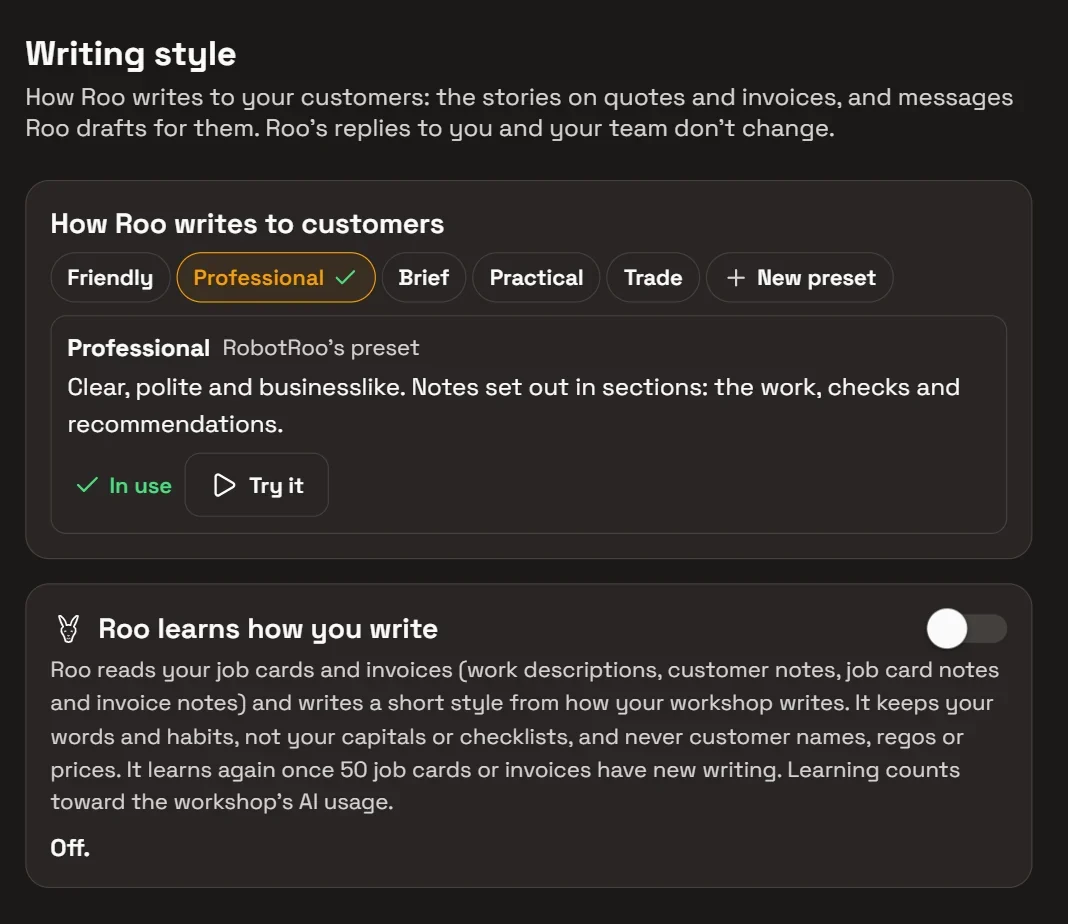
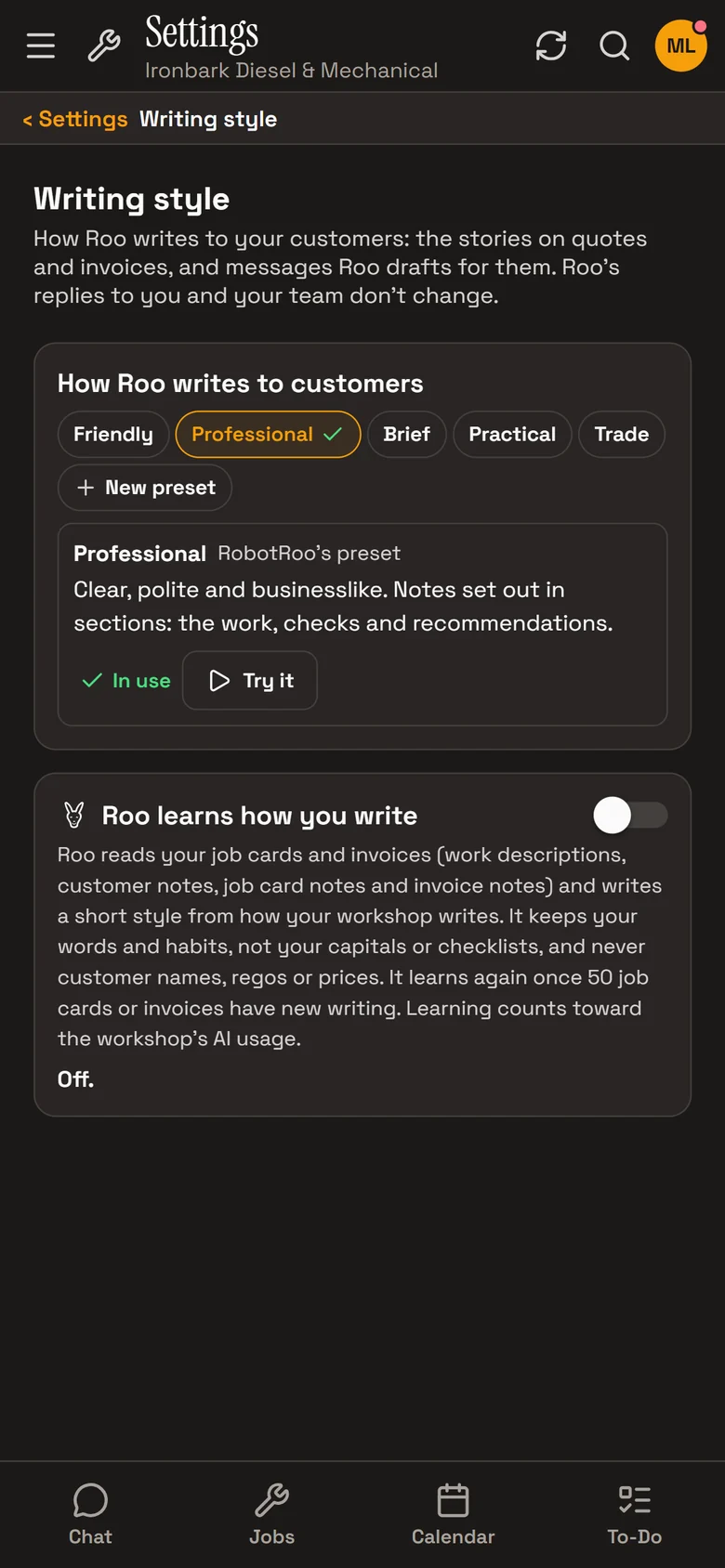
In Settings › Writing style, choose how Roo writes to your customers. Try it shows a sample first. Write your own style as well, up to 20 of them.
Roo can also learn how your workshop writes from your job cards and invoices, once 20 have writing on them, and learns again after 50 more.
- Friendly.Warm and relaxed, like a local mechanic who knows the customer. Notes in short, plain paragraphs.
- Professional.Clear, polite and businesslike. Notes set out in sections: the work, checks and recommendations.
- Brief.As short as it can be while still clear. Notes are a short list of the work.
- Practical.Practical and direct, in everyday workshop terms. Findings, work and next steps kept apart.
- Trade.A job-sheet record for trade and fleet customers: headings, one step per line, no greeting.
How it helps
- Customers see what was done.What was found, the work and the checks are written on their invoice.
- No retyping.The mechanic’s own account becomes the invoice notes, without anyone rewriting it at the counter.
- Nothing made up.Roo writes only from what’s on the job. He leaves out parts marked not used and never adds prices.
- Out-of-date notes are flagged.If a line is added, removed or renamed after the notes are written, the job shows Notes may be out of date.
Ask Roo
Send me a voice message about a job and I’ll add it to the mechanic notes. Ask me to write the invoice notes, or to add something to them.
Things to ask
- Add this to JOB-1160’s mechanic notes.
- Write the invoice notes for JOB-1160.
- Add the drive belt to the notes.
More details
For anyone who wants to know more.
Roo reads
- Mechanic Notes and Job Card Notes
- The parts and labour lines
- The vehicle, odometer and next service due
- What’s already written in the notes
Roo leaves out
- Prices
- Internal notes and the customer’s contact details
- Parts marked not used
- Anything that isn’t on the job
On the job
- Edit the notes like any text
- Generate again for a new version
- Choose another style to bring back one Roo has already written
- Undo for 30 minutes
Who and when
- Owners and service managers write the story
- Mechanics and advisers add to the Mechanic Notes
- On open jobs, before they’re invoiced
- The finalised invoice keeps its notes
Questions
Can I change what Roo writes?
Yes. The notes are an ordinary text box until the job is completed or invoiced. Change any word, or use Undo within 30 minutes to put back what was there before.
Does Roo make anything up?
No. He writes only from what’s on the job: the mechanic notes, the parts and labour, and the vehicle. If it isn’t written down on the job, it isn’t in the notes.
Does it put prices in the notes?
No. The prices are on the invoice lines; the notes describe the work.
Who can use it?
Owners and service managers use Generate story. Mechanics and advisers add to the Mechanic Notes that Roo writes from. See User roles.
Does it cost extra?
It uses a little of the AI usage that comes with your plan, like Roo’s other work. See Pricing.
See the other features
Customers, vehicles, the Job Centre, quotes and invoices, bookings, reports and more.